Author: admin

  • Programmatic SEO: How to Scale Content Beyond Single Articles

    Programmatic SEO: How to Scale Content Beyond Single Articles

    Most SEOs will tell you to write one perfect, 3,000-word article. I’m telling you that for many businesses, that’s terrible advice. The “one great article” approach is a punishing, slow, and often unrewarding path. A programmatic SEO strategy explained simply, is the practice of publishing hundreds or thousands of templated, data-driven pages at scale to capture a massive long-tail of search demand. It’s not about writing one perfect article; it’s about creating one perfect system that generates thousands of good-enough pages, each targeting a specific, transactional keyword permutation.

    This isn’t a rejection of quality. It’s a strategic shift from artisanal, one-off content creation to an industrial, system-based approach to owning search real estate. Think less “masterpiece painting” and more “automated assembly line”—an assembly line that can generate more organic traffic than a team of 20 writers ever could.

    What is Programmatic SEO?

    Programmatic SEO is a method of using a database of information to automatically generate a large number of unique landing pages, each targeting a specific long-tail keyword variation. The core idea is to identify a repeatable “head” keyword and combine it with a set of “modifier” keywords from a database. For instance, a real estate site might combine the head term “apartments for rent” with a database of every city and zip code in the country, creating thousands of targeted pages like “apartments for rent in Austin, TX” and “apartments for rent in 78701.”

    This approach works because it directly targets user queries with high specificity. Instead of writing a generic blog post about “finding a good apartment,” you create a landing page that perfectly matches what the user is searching for right now. This precision leads to higher relevance, better rankings, and more qualified traffic. It’s a direct response to how real people use search engines.

    How Does Programmatic SEO Work?

    The mechanics of programmatic SEO involve connecting a structured dataset to a web template. Imagine a spreadsheet where each row is a “thing” (a city, a product, a software integration) and each column is an attribute of that thing (population, price, connecting app). A page template is then designed with placeholders for these attributes. A content management system (CMS) or a custom script then loops through the spreadsheet, generating a unique page for each row by plugging the data into the template.

    This is fundamentally different from traditional content production. Instead of a writer spending 8 hours on a single article, a developer and an SEO might spend 80 hours building a system that can publish 2,695 pages in minutes. The upfront investment is higher, but the cost per page plummets, and the scale is unmatched.

    Traditional SEO vs. Programmatic SEO

    Feature Traditional SEO Programmatic SEO
    Scale Low (1-10 articles/month) High (100s-1,000s of pages)
    Targeting Broad to mid-tail keywords Hyper-specific long-tail keywords
    Content Creation Manual, writer-driven Automated, data-driven, template-based
    Upfront Effort Low per article High system setup cost
    Cost Per Page High Very Low
    Maintenance Constant updates per article System-level template and data updates

    Examples of Programmatic SEO in Action

    You have seen programmatic SEO countless times, even if you didn’t recognize it. The biggest and most successful sites on the internet are built on this principle.

    • Zapier: The undisputed king of B2B programmatic SEO. Zapier created a landing page for every possible software integration they offer, like “Connect Google Sheets to Slack” or “Connect Mailchimp to Salesforce.” This results in tens of thousands of pages, each perfectly matching a high-intent user search. Their own case study breaks down how this drove their initial growth.
    • Yelp & Tripadvisor: These giants use programmatic pages for countless combinations of “best [business type] in [city].” Every time you search for “best sushi in Boston” or “plumbers in Brooklyn,” you’re landing on a programmatically generated page built from a database of business listings and user reviews.
    • Nomad List: An incredible niche example. This site provides data for digital nomads. It programmatically generates pages comparing cities, such as “Cost of living in Lisbon vs. Bangkok,” using a rich dataset of user-contributed information. This covers thousands of potential city pairings.

    These companies didn’t build their empires by hand-writing “100 articles.” They built systems to address user intent at a massive scale.

    The Core Components of a Programmatic SEO Strategy

    Flowchart showing the steps of a programmatic SEO workflow: Identify Keyword Opportunity, Data Sourcing and Preparation, Content Template Creation, Content Generation and Automation, Publishing and Indexing, Performance Monitoring, Refinement and Optimization.
    Programmatic SEO Workflow

    Executing a successful programmatic project requires a systematic approach. It breaks down into four primary phases, each building on the last. It starts with identifying the opportunity and ends with publishing thousands of pages that rank.

    1. Head & Modifier Keyword Research

    This is the most critical step. Your entire strategy hinges on finding the right “head term + modifier” pattern. You’re looking for search patterns that people use over and over with different variables. The foundational work in our own keyword research workflow is a non-negotiable prerequisite. Good patterns often look like:

    • [Product/Service] in [Location]
    • [Brand A] vs [Brand B]
    • How to integrate [App A] with [App B]
    • [Problem] for [Industry]

    Your goal is to find a query pattern with significant search volume that maps directly to a dataset you can acquire or create. Tools like Ahrefs or SEMrush are essential here for identifying these repeating patterns and estimating their total traffic potential.

    2. Choosing the Right Data Sources for Programmatic SEO

    Your pages are only as good as your data. The data provides the “unique” part of your templated pages. You can get this data from several sources:

    • First-Party Data: Information you already own. For a client like Wolverine Assemblies, this could be a database of industrial parts they manufacture, including specs, compatibility, and use cases.
    • Third-Party APIs: Many companies offer APIs that provide structured data you can use (e.g., weather data, stock prices, government statistics).
    • Manual Collection/Curation: You can build a unique dataset yourself. This is time-consuming but creates a powerful competitive moat. Nomad List is a prime example of this.
    • Web Scraping: Extracting public data from other websites. This operates in a legal and ethical gray area. You must be careful to respect robots.txt files, terms of service, and avoid scraping personal or copyrighted information. It’s crucial to understand Google’s policy on automatically generated content to avoid creating pages that are classified as spam.

    3. Building Content Templates: From Variables to Visuals

    The template is the vessel for your data. It’s a page design that includes static elements (like your logo, navigation, and paragraphs of introductory text) and dynamic placeholders that will be populated by your database. For a page about “[City Name] real estate statistics,” your template might include:

    • Static H1: Real Estate Market Trends in {{city_name}}
    • Dynamic text: “The average home price in {{cityname}} is currently {{averageprice}}, a change of {{pricechangeyoy}}% since last year.”
    • A chart that dynamically generates based on {{historicalpricedata}}.

    A good template is more than just text. It incorporates images, tables, maps, and other visual elements that are also populated from the database, creating a rich, useful experience for the user.

    The goal of a programmatic template isn’t just to insert keywords. It’s to build a genuinely useful tool or resource for the user that happens to be perfectly optimized for their search query.

    4. Page Generation and Internal Linking

    Once you have your keywords, data, and template, it’s time to generate the pages. This can be done with custom scripts or specialized platforms. Modern web frameworks like Next.js are exceptionally good for this, as detailed in technical guides on programmatic SEO. As pages are generated, it’s vital to implement a smart internal linking strategy. Each generated page should link to other relevant, programmatically created pages.

    For example, a page about “Austin” should link to pages for “Dallas” and “Houston.” This creates a logical site structure, helps search engines discover all your pages, and distributes link equity. A strong practice of internal linking creates a web of content that reinforces its own authority, which is why it is one of the core services we provide.

    Measuring Programmatic SEO Success and ROI

    Unlike traditional content, where you might track rankings for a handful of keywords, programmatic SEO requires a different measurement mindset. Success isn’t about a single page hitting #1; it’s about the aggregate performance of the entire page set.

    Key metrics to track include:

    1. Indexation Rate: What percentage of your generated pages has Google actually indexed? You can find this in Google Search Console under Pages. A low rate might indicate a technical issue or that Google views the pages as low-quality.
    2. Aggregate Organic Traffic: Track the total traffic to all pages within the programmatic set, not just individual URLs.
    3. Impressions & Clicks on Long-Tail Queries: Use Search Console to see how many impressions and clicks you’re getting on the specific, long-tail keywords your pages are designed to capture.
    4. Conversions: Are these pages driving sign-ups, leads, or sales? Attributing conversions back to the programmatic set as a whole proves its business value. Thinking about content roi shifts the conversation from a cost center to a profit center.

    The ROI calculation involves comparing the total upfront cost of development and data acquisition against the long-term value of the organic traffic and conversions generated. While the initial investment can be steep, a successful project can deliver the lowest cost-per-acquisition of any marketing channel.

    When Should You Use Programmatic SEO?

    Programmatic SEO is incredibly powerful, but it’s not a silver bullet. It’s the right strategy when your business and target search queries have a specific structure. You should strongly consider it if:

    • Your target keywords follow a clear, repeatable pattern. (e.g., “cost of X in Y,” “alternative to Z”).
    • You have access to a large, structured dataset. This could be proprietary data or something you can build/acquire.
    • The user intent for the target queries can be satisfied by a templated page. If every query requires a nuanced, creative answer, this is not the right approach.
    • You have the technical resources (or partners) to build and maintain the system. This isn’t something you can easily do with a basic WordPress site and no development help. For many, this means looking into publishing platforms or full-service agencies.

    This strategy is common in e-commerce, real estate, travel, SaaS, and any directory-style business. It’s less effective for businesses that rely on thought leadership or news-based content where originality and timeliness are paramount.

    Don’t confuse “programmatic” with “low quality.” The best programmatic sites—like Zapier and Yelp—are incredibly high-quality resources. The automation is in the page creation, not in the value provided.

    Common Misconceptions and Legal Pitfalls

    Many people hear “automated content” and immediately think of spam. This is the biggest misconception. Google’s issue isn’t with content that is generated automatically; it’s with content that provides no value. A programmatically generated page that gives a user the exact piece of data they are looking for is helpful content and will be rewarded.

    However, there are pitfalls to avoid:

    • Thin Content: If your template is just a keyword-stuffed shell with no unique data on each page, you will get penalized. Each page must offer specific, distinct value.
    • Duplicate Content: Simply swapping a city name without changing any other data points on the page can be seen as duplicate content. Your data must be robust enough to make each page unique and useful.
    • Data Scraping Ethics: As mentioned, be wary of how you source your data. Aggressively scraping copyrighted or private information from competitors is a quick way to get into legal trouble.
    • Ignoring Technical SEO: A programmatic site with 200,000 pages needs a flawless technical foundation. A poor site structure, slow page speed, or incorrect canonical tags can make the entire project invisible to search engines.

    After working in this space for more than 10 years, the most common failure I see is underestimating the technical and strategic planning required upfront. Success comes from the quality of the system, not the quantity of pages.

    FAQ

    Is programmatic SEO considered black hat?

    No, programmatic SEO is not inherently black hat. It is a white hat strategy when executed correctly. The distinction lies in the value provided. If the generated pages are valuable, unique, and helpful to users, it aligns perfectly with Google’s guidelines. If it’s used to create thousands of low-value, spammy pages, it is black hat.

    How much does it cost to implement a programmatic SEO strategy?

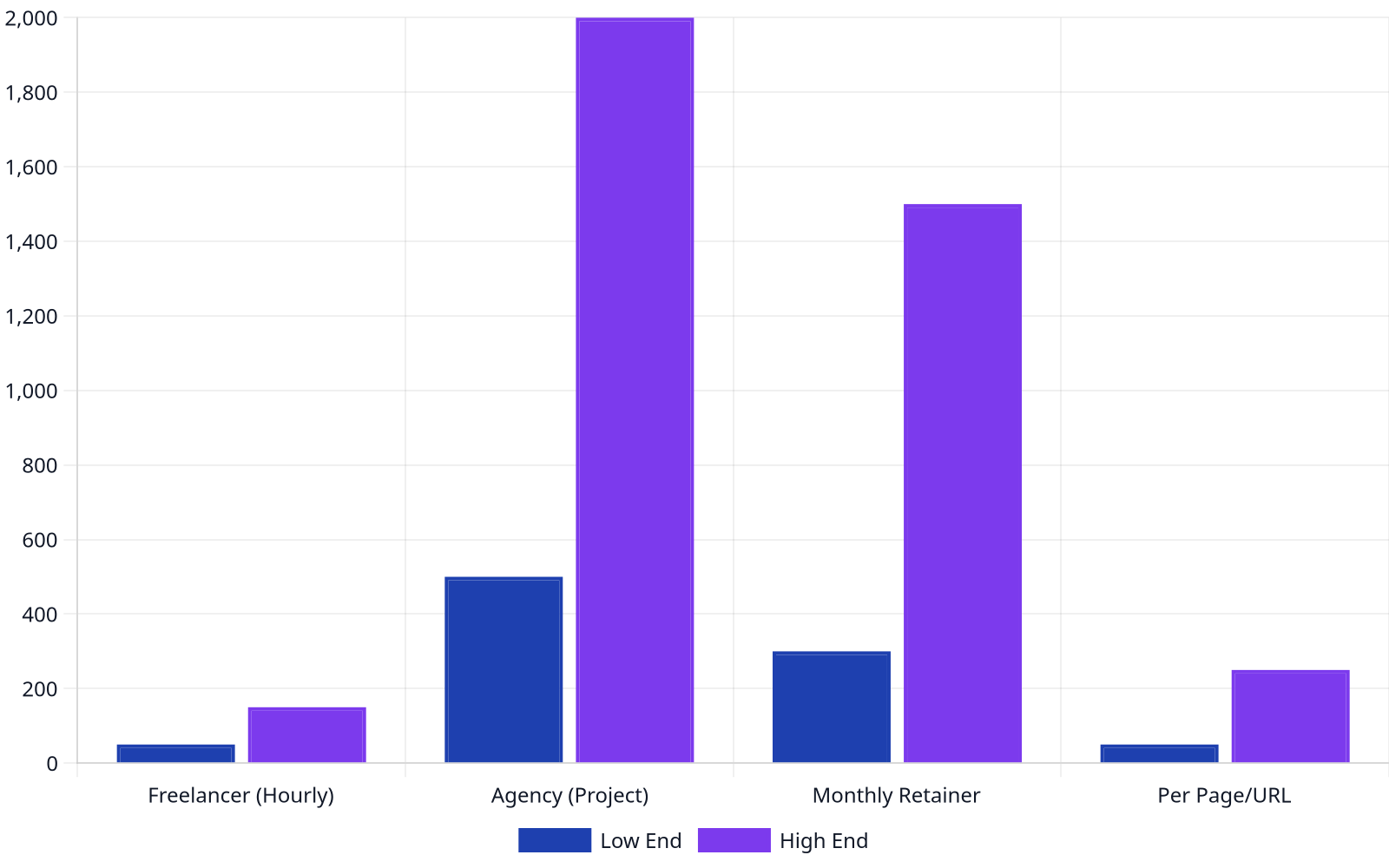
    The cost varies dramatically. A simple project using existing data and a developer for 40-50 hours might cost a few thousand dollars. A complex project requiring custom data acquisition, a dedicated engineering team, and ongoing maintenance could cost well over $100,000. The key is the upfront investment in building the system, which pays off in a very low long-term cost per page.

    What tools are needed for programmatic SEO?

    You’ll need a keyword research tool (like Ahrefs or Semrush), a database (Airtable, Google Sheets, PostgreSQL), a web framework to generate the pages (like Next.js, Gatsby, or a custom CMS setup), and a hosting platform that can handle the scale (like Vercel or Netlify).

    Can I do programmatic SEO with WordPress?

    Yes, it is possible but can be challenging. You can use plugins like WP All Import to import data and create pages from a template. However, WordPress was not natively designed for this purpose, and performance can become a major issue with tens of thousands of pages. Custom solutions built on modern JavaScript frameworks are generally more robust and scalable for large projects.

    Your Path to Scalable Growth

    Ultimately, a programmatic SEO strategy explained is a choice to build a content machine instead of just writing articles. It requires a different mindset—one that blends data science, development, and SEO. It’s a commitment to building a long-term asset that can capture a vast territory of search intent, providing a sustainable and scalable source of organic traffic for years to come. While we help our clients with a range of services from backlinks to daily articles, the biggest leaps in growth often come from building these content engines.

    Ready to stop competing for single keywords and start owning entire categories of search? Let’s talk about how a programmatic strategy can transform your organic growth.

  • Featured Snippet Optimization Guide For 2026

    Featured Snippet Optimization Guide For 2026

    Stop thinking of Featured Snippets as a prize. They aren’t a trophy for ranking well; they are the starting line for a completely different race. Most SEOs get this wrong. They chase “Position Zero” as a vanity metric, failing to see it as a tool for surgically extracting high-intent users from the SERP before their competitors even get a chance. This featured snippet optimization guide re-frames the entire process from chasing rankings to engineering answers.

    Featured snippet optimization is the process of structuring your content to directly answer a user’s query in a format Google can easily lift into a special block at the top of the search results. This is critical because according to research from Ahrefs, these snippets get over 8% of all clicks. By providing a clear, concise answer, you not only gain massive visibility but also establish your site as an authoritative source, often bypassing several higher-ranking traditional results.

    The Types of Featured Snippets

    A flowchart showing different types of featured snippets: Paragraph, List, Table, and Video.
    Types of Featured Snippets

    Understanding the different snippet formats is the first step in optimizing for them. Google tailors the snippet to best answer the user’s query, so your content format must align with the likely intent. The four primary types you will encounter are Paragraph, List, Table, and Video.

    Paragraph Snippets

    This is the most common format, appearing for “what is,” “who is,” and “why is” style questions. Google pulls a 40-60 word block of text directly from a page to provide a concise definition or explanation. To win these, your content must contain a clean, direct answer right at the beginning of a section. Think of it like a dictionary definition. Don’t bury the lead behind paragraphs of fluff; state the answer plainly and then elaborate.

    List Snippets (Numbered & Bulleted)

    List snippets appear for queries seeking step-by-step instructions, processes, or lists of items. Numbered lists are common for “how-to” queries, while bulleted lists answer “best of” or “ideas for” questions. Using proper HTML tags (

      for numbered,

        for bulleted, and

      • for list items) and ensuring your heading reflects the list’s purpose (e.g., “5 Steps to X”) are crucial for securing these snippets. This is less about prose and more about clear, structured data.

        Table Snippets

        When a user’s query involves comparing data points, Google often pulls an HTML table to create a Table Snippet. This is incredibly powerful for pricing comparisons, product feature breakdowns, or any data set with multiple variables. If a competitor has a table snippet, you can often seize it by creating a more comprehensive or better-structured table on your own page. Make sure you use proper

        ,

        , and

        tags. Google doesn’t “read” images of tables; it parses the HTML.

        Video Snippets

        For queries where a visual demonstration is most helpful, Google will feature a YouTube video. It often highlights a specific clip within the video that directly addresses the user’s search. Optimizing for these involves creating a detailed video description, using explicit verbal cues (e.g., “Step one is to…”), and uploading a transcript to YouTube. The video’s title and description must align with the target query.

        Finding Featured Snippet Opportunities

        Effective optimization starts with smart targeting. You can’t win a snippet that doesn’t exist, and you shouldn’t waste resources chasing snippets with low business value. The process is a specialized form of keyword research.

        Using SEO Tools

        Most modern SEO platforms, like Ahrefs and Semrush, have built-in features to identify snippet opportunities. You can filter your existing keywords to see which ones already trigger a featured snippet (that a competitor owns) or identify keywords with high potential. Look for question-based queries and keywords with prepositions like “for,” “with,” and “to.” These are strong indicators of answer-seeking intent.

        Manual SERP Analysis

        Don’t just rely on tools. Manually search for your primary keywords and keyword variations. Look at the “People Also Ask” (PAA) boxes. These questions are a goldmine provided directly by Google, showing what related information users are looking for. Answering several PAA questions within a single article is a powerful strategy for capturing multiple snippets and building topical authority.

        Prioritizing Based on Intent

        Once you have a list of opportunities, prioritize them. A snippet for “how to reset password” might get traffic, but a snippet for “best small business accounting software” is far more valuable if you sell that software. We helped our client, Wolverine Assemblies, focus on snippets for industrial automation queries that drove qualified leads, not just empty clicks. Focus your efforts on queries that align with your business goals and represent a user who is likely to convert.

        Step-by-Step Guide to Optimizing for Featured Snippets

        A flowchart outlining the steps for featured snippet optimization: targeting keywords, analyzing SERP, writing concise answers, structuring content, using headings and lists, implementing schema, and monitoring.
        Featured Snippet Optimization Workflow

        Once you have your target, the real work begins. Optimizing for snippets is about structure and clarity above all else. It’s about making the answer as easy as possible for Google to find and parse.

        1. Answer the Question Immediately

        This is the single most important rule. If you are targeting the query “what is semantic SEO,” your page must have a heading like “What is Semantic SEO?” and the very next paragraph must be a direct, 40-60 word answer. This pattern, often called the “inverted pyramid,” is key. You start with the most important information and then provide supporting details. Our work on content velocity seo feedback loops shows this directness helps both users and search engines.

        2. Use In-Page Headings Strategically

        Google uses your headings (H2s, H3s) to understand the structure of your content. If you are trying to win a list snippet for “how to bake a cake,” your H2 should be “How to Bake a Cake,” and your steps should be H3s like “### Step 1: Gather Ingredients” and “### Step 2: Mix the Batter.” For paragraph snippets, your heading should match the user’s question.

        3. Mind Your Formatting

        Use clean HTML. Do not get fancy with

        tags where a simple

        will do. Use

          and

            for lists and

            for tables. Bold key terms. This semantic formatting isn’t just for looks; it provides direct signals to Google’s crawlers about the nature of your content and its structure. A strong internal linking strategy will also help by distributing authority to your target pages.

            Don’t just write an article that contains the answer. Write an article where the answer is framed like a trophy in a display case—perfectly lit, impossible to miss, and clearly labeled.

            4. Maintain a Neutral Tone

            Google prefers to source answers from objective-sounding text. Even if your article has a strong overall opinion, the specific block of text you want to be featured should be factual and encyclopedic in tone. State the “what” in the snippet section and save your “why it matters” for the surrounding paragraphs.

            Advanced Strategies and the Future of Snippets

            Winning a snippet is one thing; keeping it and integrating it into a broader strategy is another. The landscape is also shifting dramatically with the rise of AI-powered search.

            Defending Your Snippet Position

            Once you win a snippet, your competitors will be analyzing your page to figure out how to take it from you. Continuously monitor your snippet performance. If you lose one, it’s often because a competitor provided a more concise, better-structured, or fresher answer. Be prepared to update your content, sharpen your definitions, or expand your lists to stay on top.

            The Role of Schema Markup

            It’s a common misconception that you need complex schema markup to win a featured snippet. Google has stated that they are two separate systems. However, using structured data like FAQPage schema or HowTo schema can help Google understand your content better and may increase your chances of appearing in other rich results, like the PAA section. While it’s not a direct ranking factor for the snippet itself, it helps establish your page as a well-structured source of information and is a key part of our technical SEO checklists.

            Comparison of Common Optimization Mistakes

            Mistake Why It Fails How to Fix It
            Burying the Answer Google misses the direct answer if it’s deep in a paragraph. Place a concise, 40-60 word answer directly below the relevant heading.
            Incorrect HTML Structure Using for headings or

            for lists confuses crawlers.
            Use proper semantic HTML:

            ,

            ,

            ,

              ,

                ,

                .
                Mismatched Intent Trying to win a list snippet with a paragraph of text. Format your content (paragraph, list, table) to match the likely user intent for the query.
                Overly Branded Language Snippets favor objective tone, not “our amazing solution.” Write the snippet-bait text in a neutral, encyclopedic voice. Save marketing copy for elsewhere.

                AI Overviews and the Death of “Position Zero”

                Google’s AI Overviews (formerly SGE) are changing the game. These AI-generated answers sit above a potential featured snippet, creating a new “Position Zero.” Is this the end for snippets? Not exactly. According to Google, these AI Overviews use information from web pages, often citing sources just as snippets do. Optimizing for snippets—by providing clear, factual, well-structured answers—is the best way to optimize for being included as a source in an AI Overview. It’s an evolution, not an extinction. The principles of search intent matching remain the same.

                The rise of AI Overviews doesn’t make snippet optimization obsolete. It makes it mandatory. Clear, structured, authoritative content is the raw material for all AI-driven answer engines.

                Measuring Snippet Performance

                Tracking your success is essential for proving ROI and refining your strategy. The main tool for this is Google Search Console.

                In the Performance report, you can filter by “Search appearance” and select “Featured snippet.” This will show you exactly which queries you are earning snippets for, along with their clicks, impressions, and average position. Pay close attention to click-through rates (CTR). A high-impression, low-click snippet might indicate that the snippet itself is answering the user’s question so completely that they have no reason to click through—a “zero-click search.” This isn’t always bad, but it’s something to be aware of. Sometimes, the goal isn’t the click but the brand impression from being the authoritative answer. For a deeper analysis of how this traffic converts, you’ll need to turn to tools like Google Analytics and measure content ROI for seo.

                FAQ

                What’s the difference between a Featured Snippet and an AI Overview?

                A Featured Snippet is a direct lift of content (text, list, table) from a single webpage, displayed in a special box. An AI Overview is a new, AI-generated summary that synthesizes information from multiple web pages to answer a query. Snippet-optimized content is often used as a source for these AI Overviews.

                Can I have both the featured snippet and the #1 organic ranking?

                Yes, this used to be common. However, Google implemented a “deduplication” update in January 2020. Now, if your page is elevated to the featured snippet position, it will not be repeated in the standard organic results on the first page. The snippet is your organic result.

                How do I opt out of featured snippets?

                You can use the nosnippet meta tag on your page. This will prevent Google from showing any snippet for that page. You can also use the data-nosnippet attribute on specific HTML elements if you only want to prevent certain parts of your page from being featured. However, given their high visibility, you should have a very specific strategic reason for doing this.

                How long does it take to get a featured snippet?

                There’s no set time. For a brand new piece of content, it could take weeks or months as the page builds authority. For an existing page that you re-optimize, Google might award the snippet in a matter of days or even hours after it recrawls the page. The key factors are the authority of your domain, the quality of your content, and the competitiveness of the query.

                Are featured snippets only for question-based keywords?

                No. While they are very common for questions (who, what, where, why, how), they also appear for many other types of queries. For example, a search for “best running shoes” might show a bulleted list snippet, and “amazon stock price” could show a table or a live data snippet from a financial site.

                Optimizing for Featured Snippets and their AI-driven successors isn’t a temporary tactic; it’s a fundamental shift in how we approach SEO content. It’s about moving from creating documents to providing answers. At Rank My Website, our entire system is built around this principle—automating the research, creation of daily articles, and publishing of content that is structured for search engine clarity and user satisfaction. See how you can generate SEO-optimized content and claim your position at the top.

              • Schema Markup for Blog Articles: The Path to Smarter SERPs

                Schema Markup for Blog Articles: The Path to Smarter SERPs

                Most SEO practitioners treat schema.org/Blog/blog-schema-markup?srsltid=AfmBOorFM1rRGXh8bwR4TTeM9Apu-1C6qE7afZEP4eUuw0Tm2BO8amVb)) markup like a garnish—a little sprinkle of code to make things look pretty. This is a fundamental misunderstanding of its power. Schema isn’t a decoration; it’s a new language for communicating with search engines. It’s the difference between showing Google a picture of a book and handing it a detailed table of contents, author bio, and list of every character.

                Schema markup for blog articles is a vocabulary of structured data, written in a format like JSON-LD, that you add to your site’s HTML. It explicitly tells search engines what your content is about—defining it as an article, specifying the author, publication date, and more. This direct communication helps Google generate rich snippets in search results, which can significantly increase visibility, click-through rates (CTR), and ultimately, your organic traffic by making your listings more informative and appealing to users.

                Understanding Schema Markup: The Basics

                Mind map showing Schema Markup as the root, branching into Schema.org (with Types, Properties, and Values), JSON-LD, Microdata, and RDFa.
                Core Schema.org Concepts

                At its core, schema is a collaborative project between Google, Microsoft, Yahoo, and Yandex, hosted at Schema.org. Think of it as a dictionary of agreed-upon terms that search engines understand. By using this dictionary to label your content, you remove all ambiguity.

                This structured data is organized into a simple hierarchy:

                • Types: These are the broad categories of things, like Article, Recipe, or Product.
                • Properties: Each Type has a set of properties that describe it. For an Article, properties include headline, author, and datePublished.
                • Values: These are the specific details for each property. The value for headline would be the actual title of your blog post.

                While there are a few ways to format this data, the universally accepted and Google-recommended method is JSON-LD (JavaScript Object Notation for Linked Data). It’s a script you typically place in the section of your HTML, making it clean and separate from your visible page content. This separation makes it easier to manage and less likely to be broken by website design changes.

                Why JSON-LD is the Standard

                Unlike older formats like Microdata or RDFa, which required you to embed tags directly into your body HTML, JSON-LD is self-contained. This makes it the preferred format for Google and for any developer who has to maintain the site. It’s easier to read, easier to generate automatically, and easier to debug—a trifecta of technical SEO wins.

                How Does Schema Markup Benefit Blog Articles?

                Implementing schema isn’t just a technical exercise; it produces tangible results that directly impact your blog’s performance. The primary benefit is earning “rich snippets”—visually enhanced search results that go far beyond the standard blue link and description.

                These enhancements are not just cosmetic. According to one analysis, search results with rich snippets can see a click-through rate of 58%, compared to just 41% for listings without them. More clicks mean more traffic. This enhanced visibility is crucial. It’s not enough to just produce daily articles; each one needs to be an ambassador for your brand in the SERPs.

                Key benefits include:

                • Increased SERP Visibility: Rich snippets take up more real estate on the results page. An FAQ dropdown, a “How-to” carousel, or an article with an image thumbnail physically pushes competitors down the page.
                • Higher Click-Through Rates (CTR): By providing more information up front (like a publication date, author, or key takeaways), schema-driven results help users qualify the link before they click. This leads to more, better-qualified traffic.
                • Building E-A-T Signals: Author markup, for example, directly connects content to a specific person. By linking to an author’s bio page (which itself can have Person schema), you build a verifiable chain of expertise that supports Google’s E-A-T (Expertise, Authoritativeness, Trustworthiness) framework.
                • Future-Proofing for AI Search: As Google incorporates more AI Overviews, having cleanly structured data is essential. Schema provides the factual, unambiguous data that these AI models need to generate answers and cite sources—your source.

                Failing to use schema markup in 2026 is like publishing a book with a blank cover. People might still find it, but they’re far more likely to pick up the one with a compelling title, author photo, and summary.

                Common Schema Types for Bloggers

                While the Schema.org vocabulary is vast, a handful of types are essential for anyone publishing blog content. Choosing the right one is your first step.

                Article, NewsArticle, and BlogPosting: What’s the Difference?

                The most common point of confusion is which article type to use. While Google treats them similarly, there are subtle distinctions. Article is a broad, safe default. NewsArticle is for time-sensitive reporting. And BlogPosting is specifically for, well, blog posts.

                Schema Type Best Use Case Key Differentiating Properties
                BlogPosting The default for most blog content without a hard news angle. blogPost, part of the Blog itemscope
                NewsArticle For factual, time-sensitive news stories. Can appear in “Top stories” carousels. dateline, printEdition
                Article A generic type. A good fallback if the others don’t fit. Most flexible. None; it is the base for the others.

                In practice, using BlogPosting or even just the general Article type is sufficient for over 99% of blogs. The key is consistency.

                Other Essential Schema Types

                • FAQPage: If you have a question-and-answer section on your page, use this to mark up the questions and answers. This can result in a rich dropdown directly in the search results, capturing significant attention.
                • HowTo: For step-by-step tutorials. This markup can enable a rich result that walks users through the process, complete with images for each step.

                • BreadcrumbList: This identifies the navigation path to the current page. Google uses it to display clean, hierarchical breadcrumbs in the SERP, which helps users understand the site structure. This is also where a powerful internal linking strategy intersects with your schema, creating a web of context that Google can easily follow.
                • Person: Used within your article markup to specify the author. You can add properties like name, url (to their social media or author page), and jobTitle to build authority.

                How Search Engines Use Schema Markup

                Search engine crawlers are incredibly sophisticated, but they still work by parsing code and interpreting signals. Schema markup acts as a direct line of communication, removing guesswork from the equation.

                The process works like this:

                1. Crawl & Discover: Googlebot discovers a page on your site and begins to crawl its HTML content.
                2. Parse & Identify: During the crawl, it finds your