Author: admin

  • Semantic SEO: The Definitive Guide to Topic Authority

    Semantic SEO: The Definitive Guide to Topic Authority

    Treating SEO like a dictionary lookup is a surefire way to fail in 2026. For years, we were taught to find a keyword, repeat it, and build links to it. That was the game. But Google is no longer a dictionary; it’s a librarian. It doesn’t just match words; it understands concepts, context, and the messy, complex questions behind every search. This is the core of semantic SEO. It is the practice of building meaning and topical context around your content, allowing you to answer a user’s entire query and related follow-up questions, not just match a specific keyword phrase.

    A semantic SEO strategy focuses on creating comprehensive content that covers a topic in depth, establishing your site as an authority. By optimizing for topics instead of just keywords, you satisfy both search engines and users, leading to more stable, long-term organic traffic.

    What is Semantic SEO?

    Mindmap showing Semantic SEO as the root with branches for Keywords, Entities, Search Intent, Context, Knowledge Graph, and User Experience.
    Semantic SEO Concepts

    Semantic SEO is the process of optimizing your content around topics—not just individual keywords—to create a deeper layer of meaning and context that search engines can understand. The goal is to prove to Google that you are a comprehensive resource for a particular subject area. It’s a shift from targeting “long-tail keywords” to targeting “long-tail concepts.”

    From Strings to Things: The Core Principle

    For a long time, search engines primarily worked by matching character strings. If you typed “best apple,” the engine would look for pages with that exact phrase. Today, it’s radically different. Google understands that “apple” can be a fruit, a tech company, or a record label. Its job is to figure out which thing you mean based on the surrounding context of your query and your search history. This concept of “strings to things” is the central idea behind semantic search. Search engines now build a web of knowledge about real-world objects, or entities, and the relationships between them.

    Why Your Old Keyword Strategy Is Failing

    The one-keyword, one-page strategy is dead. If you’re still building pages exclusively targeting “financial planning for small business” and “small business retirement plans” and “tax strategies for entrepreneurs,” you are forcing your own pages to compete against each other. Google now understands these are all part of the same overarching topic. A single, authoritative guide covering all these sub-topics will nearly always outperform three separate, shallow articles. This is because users don’t want to click back and forth between ten different pages to get their answer; they want one resource that solves their entire problem.

    The Goal: Topical Authority, Not Just Keyword Ranking

    The ultimate prize in semantic SEO is topical authority. This is Google’s measure of your site’s expertise and trustworthiness on a specific subject. When you comprehensively cover a topic—answering every conceivable question and linking concepts together—Google starts to see you as the go-to resource. The result? You don’t just rank for the keywords you targeted. You start ranking for hundreds or even thousands of related queries, many of which you never even thought to track. This is how you build a durable moat around your organic traffic that is less susceptible to algorithm updates.

    The Evolution of SEO: From Keywords to Concepts

    Our current reality with semantic search didn’t happen overnight. It was a gradual evolution driven by a series of critical Google algorithm updates that transformed the search engine from a simple index to a sophisticated understanding machine.

    The Hummingbird Update: The Dawn of Semantic Search

    In 2013, Google rolled out the Hummingbird update, a complete replacement of its core algorithm. Its main purpose was to better understand the meaning behind conversational search queries. As Google explained at the time, it paid more attention to each word in a query, ensuring the whole query—the whole sentence or conversation or meaning—is taken into account. This was the official start of the semantic era. Instead of single keywords, Google began to focus on the intent behind the phrases people were typing and speaking into their phones.

    RankBrain and Machine Learning’s Impact

    Introduced in 2015, RankBrain added a layer of machine learning to the algorithm. Its primary job is to interpret the 15% of queries that Google has never seen before. RankBrain makes educated guesses about what an ambiguous or novel query might mean by associating it with more common queries that have a similar conceptual footprint. This was a major step in moving beyond pre-programmed rules and allowing the search engine to learn and adapt on its own.

    How BERT and NLP Changed Everything

    The biggest leap forward came in 2019 with the BERT (Bidirectional Encoder Representations from Transformers) update. BERT allows Google to understand the nuances and context of words in searches in a way it never could before. Crucially, it processes words in relation to all the other words in a sentence, rather than one-by-one in order. According to Google, this allows it to understand the full context of a word by looking at the words that come before and after it. For SEO, this meant that the use of stop words, prepositions, and sentence structure became signals of meaning, not just noise to be ignored.

    How Does Semantic SEO Work?

    Flowchart illustrating the Semantic SEO workflow, starting with Keyword Research, then Understanding Search Intent, Entity Identification, Content Creation & Optimization, Internal Linking Strategy, and finally Monitor & Refine.
    Semantic SEO Workflow

    At its core, a semantic strategy works by aligning your content with how search engines analyze and understand language. This involves satisfying the user’s complete journey through a topic, not just their initial entry point. It’s a process of anticipate-and-answer.

    Understanding Natural Language Processing (NLP)

    Natural Language Processing (NLP) is a field of artificial intelligence that helps computers understand, interpret, and generate human language. Google uses NLP algorithms to deconstruct your content. It identifies the main topics (entities), the sentiment (positive, negative, neutral), the sentence structure, and the relationships between different concepts. When you write clear, well-structured content that covers a topic thoroughly, you are essentially feeding the NLP models the exact data they need to classify your page as a high-quality, relevant result.

    Satisfying Search Intent: The Real Job of an SEO

    Search intent is the why behind a query. A person searching for “best running shoes” has a different intent (commercial investigation) than someone searching “how to tie running shoes” (informational). Semantic SEO is obsessed with intent. Before you write a single word, you must ask:

    1. What is the user really looking for?
    2. What is their immediate problem?
    3. What is their next likely question?

    Great content doesn’t just answer the initial query; it anticipates and answers the subsequent ones. For example, an article on “how to repot a plant” should also cover “best soil for houseplants,” “signs of a root-bound plant,” and “how often to water after repotting.”

    Moving from Keywords to Keyword Clusters

    Instead of focusing on a single head-term, semantic keyword research involves finding a primary topic and then brainstorming all the related sub-topics and questions that fall under it. This group of semantically related keywords forms a “topic cluster.” For instance, a cluster around “content marketing” would include keywords like:

    • “what is a content marketing funnel”
    • “content marketing examples”
    • “b2b content marketing strategy”
    • “how to measure content marketing roi”
    • “content marketing tools for small business”

    You then create a central “pillar page” for the main topic and supporting “cluster pages” or sections for the sub-topics, all linking back to the pillar. At Rank My Website, our entire content process is built on this model; our keyword research focuses on identifying these clusters to build authority from day one.

    The Role of Entities in Semantic SEO

    Entity-Relationship diagram showing a CUSTOMER places an ORDER, an ORDER contains LINE-ITEMs, and a PRODUCT includes LINE-ITEMs.
    Entities Relationship Example

    If you want to master semantic SEO, you have to understand entities. They are the building blocks of modern search and the foundation of Google’s understanding of the world. They are how search engines connect concepts across the web.

    What are Entities and How Does Google See Them?

    An entity is a single, well-defined thing or concept. It can be a person (Tom Hanks), a place (New York City), an organization (Google), a product (iPhone 17), or an abstract idea (financial independence). Google identifies these entities and stores facts about them and their relationships in a massive database called the Knowledge Graph. This is what powers the knowledge panels you see on the right side of the search results. An article from Semrush on the Knowledge Graph provides a deep dive into how it works. By clearly referencing entities in your content, you are helping Google connect your page to its knowledge base.

    Building and Connecting Entities in Your Content

    Your job is to explicitly name entities and describe their relationships within your content. Don’t just say “the company’s founder”; say “Steve Jobs, the founder of Apple…”. Don’t just say “the famous actor”; say “Tom Hanks, star of the movie Forrest Gump…”. Each time you do this, you create a connection that strengthens Google’s understanding of your content. You should also link to authoritative sources like Wikipedia pages or official websites when you mention an entity for the first time, further solidifying the connection for the search engine.

    Don’t think of your website as a collection of pages. Think of it as your own private antechamber to Google’s Knowledge Graph. Every page you publish is an opportunity to define an entity and establish its relationship to the other concepts your business cares about.

    Practical Example: Deconstructing “Apple”

    Let’s say you’re writing an article about Apple. A non-semantic approach would repeat “Apple” over and over. A semantic approach would build a rich network of related entities:

    • Mention key people: Steve Jobs, Tim Cook, Jony Ive.
    • Mention key products: iPhone, MacBook Pro, Apple Watch.
    • Mention key events: WWDC, the 1984 Super Bowl commercial.
    • Mention related concepts: Cupertino, user interface design, Silicon Valley.

    By weaving these entities together, you prove to Google that you aren’t just talking about the fruit. You are demonstrating deep knowledge of the technology company, which builds immense topical authority.

    Actionable Semantic SEO Strategies for 2026

    Theory is great, but results come from execution. Here is a step-by-step process for implementing a semantic SEO strategy on your site.

    1. Perform Semantic Keyword Research

    Your process for finding keywords needs to change. It’s no longer about finding low-competition, high-volume terms. It’s about mapping out entire topics. Here’s a simple process:

    1. Start with a Seed Topic: Choose a broad topic relevant to your business (e.g., “email marketing”).
    2. Brainstorm User Questions: Use tools like AlsoAsked or AnswerThePublic to find all the questions people are asking about that topic (Who, What, Why, Where, How).
    3. Identify Sub-topics: Look at the “People also ask” boxes and related searches in Google for your seed topic. Note down the recurring themes and concepts. These are your sub-topics (e.g., “email deliverability,” “newsletter templates,” “A/B testing subject lines”).
    4. Group into Clusters: Organize all your discovered questions and sub-topics into logical groups. Each group is a potential article or a section within a larger guide.

    2. Create Topic Clusters and Pillar Pages

    Once you have your clusters, it’s time to structure the content. For each main topic, create a “pillar page.” This is a long-form, comprehensive guide that covers the topic broadly. Then, for each sub-topic in your cluster, create a more detailed “cluster page” (or a detailed H2/H3 section on the pillar page) that links back to your pillar page. This structure signals to Google that your pillar page is the most important page on this topic and that you have supporting content to prove your expertise.

    3. Optimize with Structured Data (Schema Markup)

    Structured data, often implemented using Schema.org vocabulary, is code you add to your website to help search engines understand your content more effectively. It’s like a name tag for different parts of your page. You can use it to explicitly identify things like:

    • FAQs
    • How-to guides
    • Products (with price, availability, reviews)
    • Articles (with author, publication date)
    • Organizations

    Adding schema helps Google display rich snippets in the search results (like star ratings or FAQ dropdowns), which can significantly improve your click-through rate. It is a direct way to communicate meaning to search engines, making it a critical component of semantic SEO. You can learn how to implement it on the official Schema.org website.

    4. Build a Strategic Internal Linking Architecture

    Internal links are how you distribute authority across your site and show Google the relationship between your pages. A strong internal linking strategy is non-negotiable for semantic SEO. Every time you publish a new article, you should be thinking about which other relevant pages you can link to. This is precisely why our SEO service includes strategic internal linking; it’s the glue that holds a topic cluster together. The anchor text you use should be natural and descriptive, helping both users and search engines understand what the linked page is about. For example, instead of “click here,” use an anchor like a page on “earning organic traffic.”

    5. Write for Depth and Quality, Not Just Word Count

    Semantic SEO is not an excuse for writing bloated, 5,000-word articles that say nothing. Quality and depth are what matter. A high-quality piece of content is comprehensive, accurate, well-researched, and provides unique value. It should be the best answer to the user’s question on the entire internet. This aligns directly with Google’s E-E-A-T (Experience, Expertise, Authoritativeness, and Trustworthiness) guidelines. To truly demonstrate expertise, you need to provide real-world examples, cite data, and offer original insights—for our clients like Wolverine Assemblies, this has meant moving beyond simple service descriptions to creating detailed case studies about their specific manufacturing processes.

    Tools and Techniques for Semantic SEO Implementation

    While the strategy is people-first, the right tools can give you a significant advantage in execution and analysis.

    Content Optimization Tools

    Tools like SurferSEO and Clearscope use NLP to analyze the top-ranking pages for your target query. They provide a list of important terms, topics, and questions to include in your content. These tools help you ensure your article is comprehensive and covers the topic from the same angles that Google has already rewarded. They are excellent for closing a content gap against competitors but shouldn’t be used as a replacement for original thought.

    Entity and Knowledge Graph Tools

    More advanced platforms like InLinks and WordLift are specifically designed for semantic SEO. They can help you identify entities in your content, build internal links automatically, and generate the necessary schema markup to connect your site to Google’s Knowledge Graph. These tools essentially automate much of the technical work of semantic optimization, allowing you to focus on creating great content.

    Traditional vs. Semantic Tool Comparison

    To make it clear, here’s how the toolsets differ:

    Feature Traditional SEO Tools (e.g., Ahrefs, SEMrush) Semantic SEO Tools (e.g., InLinks, SurferSEO)
    Core Focus Keyword rankings, backlink counts, domain authority Topic coverage, entity relationships, content scores
    Research Unit Individual keywords Topic clusters and user questions
    Content Analysis Keyword density, readability scores NLP-driven term importance, semantic context
    Output A list of keywords to target A content brief with topics and entities to include
    Success Metric Rank for a specific keyword Overall organic visibility for a topic

    Measuring the Impact of Your Semantic SEO Efforts

    Measuring the ROI of semantic SEO requires a shift in mindset and metrics. The old ways of tracking success are no longer sufficient.

    Moving Beyond Single Keyword Rank Tracking

    If you’re still obsessing over your #1 ranking for a single trophy keyword, you’re missing the point. A successful semantic strategy will cause you to rank for hundreds or thousands of related queries. Instead of tracking a handful of keywords, you should be using a tool like Google Search Console to monitor the total number of keywords your page is ranking for and the total impressions it’s generating. A rising tide of impressions across a topic cluster is a key sign of success.

    The most common mistake in semantic SEO is having the patience of a day-trader. You are not building a temporary ranking; you are building a library of expertise. That takes time, consistency, and a commitment to being the best resource.

    Key Metrics: Topic Visibility and Impression Share

    Your new key performance indicators (KPIs) should be topic-focused. In Google Search Console, you can filter your performance reports by query to isolate a specific topic (e.g., queries containing “email marketing”). Monitor these metrics for your topic clusters:

    • Total Clicks & Impressions: Are they increasing over time for the entire cluster?
    • Average Position: Is your average rank across all queries in the cluster improving?
    • Number of Ranking Queries: Is your content showing up for more and more relevant searches?

    This provides a much more accurate picture of your growing authority than just a few vanity rankings.

    Common Pitfalls and How to Avoid Them

    Even with the right strategy, it’s easy to make mistakes. Watch out for these common issues:

    • Keyword Cannibalization: Creating multiple pages that target the same intent. Consolidate them into one authoritative guide.
    • Shallow Content: Writing a long article that doesn’t actually say anything new or helpful. Focus on depth and unique value.
    • Ignoring Internal Linking: Publishing content and never connecting it to the rest of your site. Every new post is a chance to strengthen your topic clusters.
    • Forgetting Schema: Failing to add structured data, which is like leaving a direct line of communication with Google on the table.

    AI’s Role in Scaling Semantic SEO

    Artificial intelligence is not just for search engines; it’s a powerful tool for creators. When used correctly, AI can dramatically accelerate your semantic content strategy without sacrificing quality an essential practice for those looking into a content production workflow.

    Using AI for Research and Outlining

    AI tools are phenomenal for the initial stages of semantic research. You can use them to brainstorm hundreds of questions related to a topic, generate potential sub-topics, and structure a detailed content outline in minutes instead of hours. This lets you spend more time on the high-value work: adding your own unique expertise and real-world examples.

    AI Content Generation: A Double-Edged Sword

    Using AI to write entire articles is risky business. While the output can be grammatically correct, it often lacks genuine experience and authority—the “E” and “E” in E-E-A-T. Google has become increasingly effective at identifying generic, unhelpful AI content. AI-generated text should always be treated as a first draft, which a human expert must then heavily edit, fact-check, and infuse with their own insights. Relying on AI alone is a short-term tactic, not a long-term strategy for building a trusted brand.

    How Our Automated Platform Builds Semantic Relevance

    At Rank My Website, we use AI to automate the most time-consuming parts of the SEO content lifecycle. Our platform handles the semantic keyword research, cluster identification, and the creation of SEO-optimized articles. We then publish these daily articles directly to your site with a robust internal linking structure already built-in. This combination of AI-driven scale and SEO-focused strategy allows our clients to build topical authority at a pace that is impossible to achieve manually, creating a true content engine for their business.

    FAQ

    How long does it take to see results from semantic SEO?

    Semantic SEO is a long-term strategy. While you might see some initial movement within 3-4 months, it typically takes 6-12 months of consistent, high-quality content creation to build significant topical authority and see substantial organic traffic growth. The exact timeline depends on your industry’s competitiveness, your starting domain authority, and the quality of your execution.

    Can I do semantic SEO without expensive tools?

    Yes, absolutely. The core principles—understanding intent, creating comprehensive content, and logical internal linking—are free. Tools like Google Search Console, Google Trends, and the “People also ask” section of the SERPs provide a wealth of information. Paid tools like SurferSEO or InLinks can accelerate the process, but they are not a prerequisite for success.

    Is keyword density still important for semantic SEO?

    No. Keyword density is an outdated concept. Repeating a keyword a certain number of times does not help you rank. Focus on covering the topic comprehensively using natural language. If you do this well, the important keywords and their synonyms will appear naturally within the content. This is what NLP models are looking for, not forced repetition.

    How is semantic SEO different from topic clustering?

    Topic clustering is a tactic used within a broader semantic SEO strategy. A topic cluster (a pillar page with supporting cluster pages) is a specific content architecture. Semantic SEO is the overarching philosophy of creating content based on meaning, context, and entities to build topical authority. You use topic clusters to execute your semantic SEO strategy.

    What’s the relationship between E-E-A-T and semantic SEO?

    They are deeply intertwined. Semantic SEO is the how—the technical and structural process of demonstrating your knowledge to Google. E-E-A-T (Experience, Expertise, Authoritativeness, Trust) is the what—the actual quality, credibility, and trustworthiness of your content. A successful strategy requires both. You can have a perfectly structured topic cluster that fails because the content itself is thin, inaccurate, or lacks first-hand experience.

    Stop chasing individual keywords and start owning entire topics. By shifting your focus to meaning and context, you align your strategy with the future of search and build a foundation for sustainable, long-term growth. If you’re ready to automate your content engine and build topical authority at scale, explore how Rank My Website can transform your organic traffic.

  • Technical SEO Checklist for Content Sites 2026

    Technical SEO Checklist for Content Sites 2026

    The Ultimate Technical SEO Checklist for Content Sites (2026)

    Most people think of SEO as keywords and backlinks. They’re not wrong, but they’re focusing on the paint job while the house is built on a sinkhole. For content-heavy websites—blogs, news portals, and digital publishers—technical SEO isn’t just a box to check. It’s the foundation that determines whether your carefully crafted content ever sees the light of day. Without a solid technical base, you are investing in assets that Google may never find, understand, or show to users.

    A complete technical SEO checklist for content sites ensures your website is accessible, indexable, and provides a superior user experience. This involves auditing crawlability through your robots.txt file and sitemaps, fixing broken links and redirect chains, ensuring your site is mobile-friendly and secure with HTTPS, and optimizing for Core Web Vitals. For content sites specifically, it means building a logical site structure with strong internal linking to prevent orphan pages and signal content importance, while also considering an llm seo checklist to optimize for future search trends.

    How to Conduct a Technical SEO Audit

    A flowchart detailing the steps of a technical SEO audit, starting with crawling the site, checking for indexing issues, site speed, mobile usability, structured data, and security, with conditional paths for fixing issues at each stage before completing the audit.
    Technical SEO Audit Flowchart

    Think of a technical audit not as a one-time fix, but as a recurring health checkup for your website. This process helps you systematically identify issues that could be throttling your organic traffic potential. For most content sites, a quarterly audit is a good cadence, with mini-checks after any significant site changes.

    Foundational Crawl & Index Check

    Before anything else, you must confirm that search engines can find and index your content. Start with two simple site: searches on Google:

    • site:yourdomain.com – This shows you how many pages Google has indexed. Does this number look roughly correct? If you have 500 articles and it shows 50, you have an indexing problem.
    • site:yourdomain.com/some-specific-url – Check a few of your most important recent articles to ensure they are indexed.

    If pages are missing, there could be a number of culprits. You might have a noindex tag on the page or a rule in your robots.txt file blocking Googlebot. Using the URL Inspection tool in Google Search Console is the fastest way to diagnose why a specific page isn’t indexed.

    Analyzing Your robots.txt and Sitemaps

    Your robots.txt file, located at yourdomain.com/robots.txt, gives search engine crawlers instructions on what they can and cannot access. A misconfigured robots.txt file is one of the most common—and devastating—technical SEO mistakes. Ensure you are not accidentally disallowing access to important CSS or JavaScript files, as this can prevent Google from rendering your pages correctly. According to Google’s own documentation, the robots.txt file is a set of rules, not a command, but major crawlers respect it.

    Your XML sitemap, on the other hand, is a map you give to search engines, showing them all the URLs you want them to crawl. For content sites, it’s critical that your sitemap is automatically updated every time you publish a new article. For platforms like WordPress, plugins like Yoast or Rank Math handle this automatically. For custom-built sites, this may require developer intervention.

    Uncovering Redirects and Errors

    Broken internal links (404 errors) create a dead-end for users and crawlers, wasting crawl budget and degrading user experience. Redirect chains—where one URL forwards to another, which then forwards to a third—also slow down your site and dilute link equity. Tools like Screaming Frog or Ahrefs’ Site Audit can crawl your entire site to find these issues.

    Here’s a simple process for fixing them:

    1. Run a site crawl using a tool like Screaming Frog.
    2. Export the list of all 404 errors (broken links) and the pages they are on.
    3. Prioritize fixes based on the importance of the page with the broken link.
    4. Update the broken link to point to the correct, live URL.
    5. Export the list of redirect chains and update the original link to point directly to the final destination URL, eliminating the “middlemen.”

    Core Web Vitals and Page Experience

    Google’s “page experience” signals are designed to measure how users perceive the experience of interacting with a web page. For content sites, where the primary interaction is reading, this is paramount. A slow, janky site is a site people leave. That’s why Google made these metrics part of its ranking algorithm.

    What Are Core Web Vitals Anyway?

    The Core Web Vitals are a specific set of three metrics that form the core of the page experience signals. They measure loading performance, interactivity, and visual stability. We will explore them in more detail in the next section. Beyond these, other page experience factors include mobile-friendliness, HTTPS security, and the absence of intrusive interstitials (like pop-ups that block content).

    Why Mobile-Friendliness Is a Baseline, Not a Bonus

    With Google’s move to mobile-first indexing, your site’s mobile version is the one that matters for ranking. In 2026, having a “desktop site” and a “mobile site” is an outdated concept. Responsive design, where your site layout adapts to any screen size, is the standard. You can check your site’s mobile-friendliness with Google’s Mobile-Friendly Test. Any issues here should be treated as high-priority bugs.

    A technically sound website is a sign of respect for the user. It tells them their time is valuable and you’ve created an environment where they can consume your content without friction.

    HTTPS: The Non-Negotiable Trust Signal

    HTTPS encrypts data between a user’s browser and your website, providing security and privacy. For years, Google has confirmed it is a lightweight ranking signal. But more importantly, modern browsers like Chrome now flag sites without HTTPS as “Not Secure.” For a content site trying to build authority and trust with its audience, that label is a killer. There is no excuse for not having HTTPS in 2026. Let’s Encrypt offers free SSL/TLS certificates, so cost is no longer a barrier.

    Understanding Core Web Vitals

    A flowchart showing Core Web Vitals leading to page experience measurement, which then branches to positive or negative SEO signals based on good or bad user experience. LCP, FID, and CLS are shown as components of page experience.
    Core Web Vitals Impact Flow

    To truly optimize for page experience, you need to understand the three pillars of Core Web Vitals. They can feel abstract, but each one corresponds to a tangible aspect of user frustration that you’ve almost certainly experienced yourself.

    LCP (Largest Contentful Paint): Perceived Load Speed

    LCP measures how long it takes for the largest content element (usually a hero image or a large block of text) to become visible within the viewport. To a user, this is the moment the page feels “loaded.” A slow LCP makes a site feel sluggish. For a content site, the LCP element is often the featured image of an article or the headline itself. A good LCP score is under 2.5 seconds. Optimizing image sizes and using a Content Delivery Network (CDN) are common ways to improve LCP.

    INP (Interaction to Next Paint): Responsiveness

    INP measures a page’s overall responsiveness to user interactions. It looks at the latency of all clicks, taps, and keyboard interactions and reports a single value. A low INP means the page responds quickly to user input, such as clicking a menu item or an accordion dropdown in a blog post. Google’s threshold for a good INP score is below 200 milliseconds. This metric is a successor to an older one, First Input Delay (FID), and gives a much more comprehensive view of interactivity.

    CLS (Cumulative Layout Shift): Visual Stability

    CLS measures the visual stability of a page. Have you ever gone to click a button, only to have a banner ad load at the last second, shifting the content down and causing you to click the ad instead? That’s layout shift, and it’s infuriating. CLS quantifies this frustration. To avoid it, always specify dimensions for your images and ad slots so the browser can reserve the space before they fully load. A good CLS score is less than 0.1.

    Optimizing Site Structure and Internal Links

    For a site with hundreds or even thousands of articles, structure is everything. Good site architecture helps users and search engines discover your content. Poor architecture leads to lost pages and wasted effort.

    The Peril of Orphan Pages

    An orphan page is a page that has no internal links pointing to it. If you don’t link to a page from anywhere else on your site, how can you expect users or Google to find it? It’s an island, completely disconnected from your site’s link graph. Auditing tools like Semrush or a Screaming Frog crawl can help you identify these pages. Once found, every orphan page should either be linked to from a relevant, authoritative page or deleted and redirected if it’s no longer valuable.

    Building a Logical Site Hierarchy

    A flat site structure—where every article is just one click from the homepage—is often touted as ideal. But for large content sites, this isn’t practical. A better approach is a logical, siloed structure using categories and subcategories. For example:

    yourdomain.com/social-media-marketing/instagram/how-to-use-reels

    This clear hierarchy helps search engines understand the relationship between your content pieces and establishes topical authority. Users also find it easier to navigate and explore related topics.

    Strategic Internal Linking for Authority Flow

    Every time you publish a new post, you should be thinking about what older articles you can link from and what older articles you can link to. Internal linking isn’t just about avoiding orphan pages; it’s about distributing “PageRank” or link authority throughout your site. At Rank My Website, our automated services include building out these crucial internal links because they are so fundamental to getting content ranked. A link from a high-authority cornerstone page to a new blog post acts as a vote of confidence, telling Google this new content is important. This is key for ensuring the content created from your initial keyword research actually gets discovered and indexed.

    Understanding and Implementing Schema Markup

    Schema markup is a form of structured data that you add to your website’s code to help search engines better understand its content. Think of it as a vocabulary that you and Google can agree on. When Google understands your content more deeply, it can present it in more engaging ways in search results, known as rich snippets (e.g., star ratings, FAQ accordions, article bylines).

    Common Schema Types for Publishers

    While there are hundreds of schema types available on Schema.org, a few are particularly important for content sites:

    • Article/NewsArticle/BlogPosting: Describes the content as an article, allowing Google to show it in news carousels and feature its headline, author, and publication date more prominently.
    • FAQPage: For pages with a list of questions and answers. Using this can get your questions and answers displayed directly in an interactive dropdown on the SERP.
    • BreadcrumbList: Defines the page’s position in the site hierarchy, which Google can display in the search results in place of a messy URL.

    Hreflang for International Audiences

    If your content site serves audiences in multiple countries or languages, the hreflang tag is essential. This tag tells Google which version of a page to show to a user based on their language and location. For example, it allows you to indicate that yourdomain.com/ca/ is for Canadian users, while yourdomain.com/au/ is for Australian users. Implementing hreflang incorrectly can cause major indexing issues, so it requires careful attention to detail. It prevents Google from seeing your regional pages as duplicate content.

    Crawl Budget Optimization

    For large content sites, “crawl budget” becomes a serious consideration. Crawl budget is the number of pages Googlebot will crawl on your site within a given timeframe. If your budget is wasted on low-value pages, your new, important content may not get discovered and indexed in a timely manner.

    What Is Crawl Budget and Why Does It Matter for Content Sites?

    Imagine your site has 10,000 articles, but your crawl budget is only 1,000 pages per day. It could take Google over a week to see your entire site. This problem is magnified for publishers that put out daily articles. If you publish 10 new articles, but Googlebot spends its time crawling parameter-based URLs from your faceted search or old, thin content pages, your new work sits unseen. Optimizing your crawl budget ensures that Google spends its limited resources on your most important content.

    Auditing Crawl Patterns with Log File Analysis

    The only way to know for sure what Googlebot is doing on your site is to analyze your server logs. Log file analysis shows you every single request a crawler makes to your server. It reveals how often Googlebot visits, what pages it crawls most, what it ignores, and what errors it encounters. While this is an advanced technique, tools like Screaming Frog Log File Analyser or Splunk can make it more accessible. Insights from log analysis are invaluable for identifying wasted crawl budget.

    How to Prioritize Technical Fixes

    An audit can produce hundreds of recommendations. For a small team, prioritization is key. The best way to approach this is to use a simple impact vs. effort matrix.

    Priority Impact Effort Examples
    P1: High High Low Incorrect robots.txt blocking the whole site, widespread noindex tags, broken homepage links.
    P2: Medium High High Migrating the entire site to HTTPS, implementing a new site structure, refactoring JS for INP.
    P3: Low Low Low Fixing a few broken links on low-traffic pages, adding alt text to a few minor images.
    P4: Do Last Low High A 1% speed improvement on a site that already loads in 1.5 seconds, large-scale URL cleanups with minimal SEO value.

    Technical SEO, E-E-A-T, and the Future

    Technical SEO is not a separate discipline from content quality. In fact, Google’s own quality signals increasingly rely on a technically sound foundation. A user’s experience with your site is a direct reflection on your brand’s credibility.

    Don’t think of technical SEO as serving a search engine. Think of it as creating a high-performance vehicle for your content. The better the vehicle, the faster and more reliably your message reaches its destination.

    How a Clean Site Builds Trust and Authority

    A site that is fast, secure, and easy to navigate feels more authoritative. It demonstrates expertise and care. Conversely, a site riddled with broken links, slow load times, and security warnings erodes trust. This is a core component of Google’s E-E-A-T (Experience, Expertise, Authoritativeness, and Trustworthiness) guidelines. Whether you are a niche blog or a large B2B firm presenting complex information, like our client wolverine-llc.com, a flawless technical presentation is a proxy for the quality and trustworthiness of your information. A technically broken site makes your content feel less trustworthy, no matter how well-researched it is.

    Technical SEO for the AI-Search Era

    Looking ahead to AI Overviews and other AI-powered search features, technical SEO becomes even more critical. AI models, like traditional crawlers, need to access, parse, and understand your content. Clear structure, fast loading times, and machine-readable data (like Schema) make it easier for these new systems to consume your content and cite it as a source. A study from Backlinko on technical SEO details how these elements directly contribute to better visibility. In 2026, you’re not just optimizing for Googlebot; you’re optimizing for every AI that will use the web as its knowledge base.

    Frequently Asked Questions

    What is the most important part of technical SEO for a content site?

    For a content site, the most critical aspects are crawlability and indexability. If Google cannot find and parse your articles, nothing else matters. This means having a clean robots.txt file, a dynamic XML sitemap, and a logical site structure that prevents orphan pages.

    How often should I perform a technical SEO audit?

    A full, comprehensive audit should be done at least quarterly. However, you should use tools like Google Search Console to perform weekly “health checks,” looking for sudden spikes in crawl errors, manual actions, or major shifts in indexed pages.

    Can I do technical SEO myself without hiring an expert?

    Basic technical SEO hygiene—like checking for broken links, submitting a sitemap, and monitoring Core Web Vitals in Google Search Console—can absolutely be done by a site owner. However, more advanced tasks like log file analysis, complex redirect mapping, or schema implementation might require a specialist or a dedicated tool.

    Does technical SEO matter for a small blog?

    Yes, absolutely. While a small blog might not have complex issues like crawl budget to worry about, the fundamentals are even more important. A fast, mobile-friendly site with good internal linking and no broken links will have a significant advantage over other small blogs that neglect these basics.

    How does AI search change technical SEO?

    AI search models (like those powering Google’s AI Overviews) still rely on the foundational principles of a crawlable, structured web. Technical SEO that makes your site easy for machines to parse—such as structured data via Schema, clear headings, and fast load times—will make your content more likely to be used and cited by AI systems. It doubles down on the need for clean code and clear architecture.

    At the end of the day, technical excellence creates the platform upon which great content can succeed. By regularly working through this technical SEO checklist for content sites, you ensure that your investment in writing and research pays the highest possible dividends in organic traffic.

    If you want to focus on creating content without getting bogged down in the technical details, Rank My Website can help. We generate SEO-optimized content from your keywords and publish it directly to your site, with all the on-page and technical SEO fundamentals handled for you, growing your traffic on autopilot. Explore how our automation platform can help you scale.

  • Google Helpful Content Update: Why the System Is Not Your Enemy

    Google Helpful Content Update: Why the System Is Not Your Enemy

    ”’

    The Ultimate Googlem/blog/google-helpful-content-update-tips-for-enterprise-brand-success/).com/search/docs/fundamentals/creating-helpful-content) Helpful Content Update Guide (2026)

    Stop blaming the algorithm. The Google Helpful Content Update isn’t a mysterious force that randomly punishes websites; it’s a mirror reflecting your site’s own priorities back at you. If you’ve spent years writing for bots, churning out thin content to capture long-tail keywords without satisfying the person behind the search, this update is simply holding you accountable. It’s not a technical penalty for a broken link, it’s a systemic judgment on your site’s purpose.

    The Google Helpful Content Update is a sitewide algorithm designed to reward content that provides a satisfying, people-first experience and demote content created primarily for search engine rankings. First launched in August 2022, it operates as a continuous classifier that analyzes a website’s overall content quality. A high volume of unhelpful pages can negatively impact the visibility of all content on a site, even the helpful pages. Recovery involves removing or improving unhelpful content and demonstrating long-term commitment to quality.

    What is the Google Helpful Content Update, Really?

    Initially announced in the last week of August 2022, Google described the update as “part of a broader effort to ensure people see more original, helpful content written by people, for people, in search results.” This wasn’t just another of the “hundreds of thousands of improvements” Google makes annually. This was a philosophical line in the sand, directly targeting the mountains of content designed to rank but not to inform.

    People-First vs. Search Engine-First Content

    Understanding this distinction is the key to surviving and thriving in the post-HCU era. The entire system is built to differentiate between these two approaches:

    • People-First Content: You identify an audience, understand their needs, and create content that answers their questions or solves their problems in a satisfying way. SEO is used to help those people find your excellent content. The primary goal is user satisfaction.
    • Search Engine-First Content: You identify a keyword with search volume, analyze the top-ranking pages, and create a slightly different or longer version of what already exists, hoping to trick the algorithm into ranking you. The primary goal is traffic, with user satisfaction as an afterthought.

    Guess which one Google is trying to eliminate?

    It’s Not a Penalty, It’s a Sitewide Signal

    One of the most misunderstood aspects of the HCU is its mechanism. Unlike a manual action or some old-school penalties, this isn’t a page-level issue. The Helpful Content system applies a site-wide signal.

    Think of it like a “helpfulness score” for your entire domain. If a significant percentage of your content is deemed unhelpful, that negative signal can suppress the rankings of your entire site—even your genuinely good pages. This is why just adding a few good blog posts won’t fix an HCU problem. The system looks for a holistic commitment to quality across the board.

    How Google’s Helpful Content System Works: An Overview

    Flowchart showing Google's helpful content system from content creation, to crawling and indexing, assessment, ranking signals, and finally search results.
    Google’s Helpful Content System Flow

    The system is essentially a machine-learning model trained to identify signals that correlate with unhelpful content. When it crawls and indexes pages, it weighs these signals. It’s not looking at just one page but the patterns across your whole site.

    The Classifier and the “Unhelpful” Score

    The update introduced a new classifier that is constantly running. When it identifies a website that appears to be producing high amounts of content for search engines first, the classifier applies a negative ranking signal. This signal is weighted; the more unhelpful content you have, the stronger the signal and the more your overall search performance will suffer.

    Interaction with Core Updates and Other Signals

    The Helpful Content system doesn’t operate in a vacuum. It works in concert with Google’s other systems, including broad core updates. Think of the HCU as a specialist that identifies a specific problem (unhelpful content), and the core updates as the general contractor that uses that information, along with many other signals (like links, Page Experience, and E-E-A-T), to determine final rankings. A bad HCU signal can make your site much more vulnerable during a core update.

    How Helpful Content Impacts Search Rankings

    The impact isn’t always a sheer cliff-edge drop. For some sites, it is. But for others, it can be a slow erosion of visibility for important keywords as more helpful competitors are promoted. It can also act as a ceiling, preventing your site from ranking no matter how much new content you produce. The signal’s intensity determines the severity of the impact, creating a spectrum from minor suppression to a near-total loss of non-branded organic traffic.

    Content Quality: Characteristics of Helpful vs. Unhelpful Content

    Google has provided a list of self-assessment questions, but it boils down to a clear qualitative difference. True quality isn’t just about grammar and spelling; it’s about purpose and value. To make it concrete, here is a direct comparison of the traits the HCU is looking for versus the red flags it’s designed to spot.

    Helpful Content Characteristics Unhelpful Content Red Flags
    Written for a specific, defined audience. Written for “everyone,” with no clear audience.
    Demonstrates deep, first-hand expertise. Summarizes what others have said without adding value.
    Content has a primary purpose or focus. Promises to answer a question but never does.
    Leaves the reader feeling satisfied. Leaves the reader needing to search again.
    Supports claims with evidence and sources. Makes broad claims with no support.
    Part of a site with a clear topical focus. Jumps between many unrelated topics.

    E-E-A-T, Quality Rater Guidelines, and the HCU

    It’s impossible to discuss helpful content without mentioning E-E-A-T, which stands for Experience, Expertise, Authoritativeness, and Trust. This framework is detailed in Google’s extensive Search Quality Rator Guidelines, the 170+ page manual used by the human reviewers who audit Google’s search results. While raters don’t directly impact your rankings, their feedback is used to train algorithms like the HCU.

    E-E-A-T is no longer a “nice to have” for a few niche industries. It is the foundational requirement for earning a user’s trust, and by extension, Google’s.

    The “Who, How, and Why” of Your Content

    In the wake of the HCU, Google has advised creators to ask themselves three critical questions about their content creation process:

    • Who created it? Is the author an expert? Is the brand reputable in this space? Author bios and clear accountability are crucial.
    • How was it created? Does the content show evidence of first-hand use, in-depth research, or a unique process? This is where you prove you actually did the work, whether it’s reviewing a product or explaining a complex process.
    • Why was it created? Was the primary motivation to genuinely help the reader, or was it just to get a click from a search engine? The intent behind content creation matters, and Google’s systems are getting smarter at sniffing it out.

    A deep understanding of E-E-A-T and YMYL topics is no longer optional for serious content producers. You must be able to prove you are the right person or brand to be providing the information.

    Demonstrating First-Hand Experience

    The “E” for Experience is the newest addition to the E-E-A-T acronym, and it’s no coincidence it arrived alongside the HCU. Google wants to reward content from people who have actually used the product, visited the place, or solved the problem. This can be demonstrated through:

    • Unique photos or videos.
    • Specific, non-obvious details that only a user would know.
    • Talking about the process, including failures and lessons learned.

    Was Your Site Hit? Identifying a Helpful Content Update Impact

    If you experienced a sudden, sharp drop in organic traffic that coincided with a known helpful content or core update, you might be affected. But correlation isn’t always causation. Here’s how to dig deeper.

    Analyzing Your Traffic with Google Analytics and GSC

    Don’t just look at the top-line number. In Google Search Console, compare your performance before and after the update. Look at:

    • Queries: Did you lose rankings for your main target keywords, or for less important ones?
    • Pages: Are the traffic drops concentrated on a specific section of your site, like an old blog or a thin product category?
    • Discover Traffic: The HCU signal impacts performance across Google, including in Google Discover. A sharp drop there is a strong indicator.

    Segmenting Content to Find the Culprits

    Create a spreadsheet of all your content (a crawl from a tool like Screaming Frog is a good start). Add columns for traffic (from GSC/GA), word count, publish date, and most importantly, a subjective “Helpfulness Score.” Go through your content and honestly assess each piece. Is it serving a real user need? Does it have a clear purpose? This process quickly reveals the low-quality, “unhelpful” content that is likely dragging your site down, as illustrated in a revealing HCU case study.

    Identifying Unhelpful Content: Key Signals and Examples

    Flowchart showing content assessment leading to flagging as unhelpful if there is a lack of expertise, automated generation, or low value detected.
    Unhelpful Content Identification Process

    While a full audit is necessary, several common patterns have emerged as clear red flags for the Helpful Content system.

    Content Written for Google, Not Humans

    This is the original sin of SEO. It includes content that is stuffed with keywords, answers a dozen different questions in one article without going deep on any of them, or slavishly follows a word count (e.g., “I read that blog posts need to be 2,000 words, so I added 800 words of fluff”). It reads like it was written by a machine, even if it was written by a human trying to act like one.

    Niche Hopping and Lack of Focus

    Does your website about small business accounting suddenly have articles about the best vacation spots in Bali and keto diet recipes? Unless you are a major, multi-faceted media brand, this signals a lack of focus. A site that tries to be about everything is an authority on nothing. The HCU rewards sites that demonstrate a clear, authoritative focus on a specific niche.

    Over-Reliance on AI with No Human Oversight

    AI content is simply a tool. But when used to generate thousands of articles with no human review, no unique insights, and no fact-checking, it becomes a liability. This is the very definition of unhelpful, search-engine-first content. Many guides on future of ai content highlight that unsupervised AI output is a primary target of the HCU.

    Recovering from a Helpful Content Update: A Step-by-Step Guide

    Flowchart depicting the recovery process from a helpful content update: identify unhelpful content, remove or improve it, demonstrate E-E-A-T, and then monitor and reassess.
    Helpful Content Update Recovery Flow

    Recovery is possible, but it is not fast or easy. It requires a fundamental shift in your content strategy. The steps I outline here are the same process we use to diagnose site issues for clients, focusing on a deep review of internal linking and overall content purpose.

    1. Stop Publishing and Assess. The worst thing you can do when you see your traffic drop is to panic and publish 50 more low-quality articles. Stop the content machine. You need to diagnose the problem before you can fix it.
    2. Conduct a Ruthless Content Audit. This is where the real work begins. Export every URL and use data from GSC, Ahrefs, and your own assessment to categorize every single page. Use categories like: Keep, Improve, Prune (delete and 404/410), and Redirect (301).
    3. Execute the Pruning and Improving. For content categorized as “Prune,” remove it. For pages with low-quality content that target valuable keywords, a full rewrite focusing on helpfulness and E-E-A-T is required. This is painful, but necessary. You have to remove the unhelpful content for the signal to be re-evaluated.
    4. Refine Your Content Strategy. From this point forward, every piece of content must have a clear purpose and audience. You need to prove to Google you are committed to quality. A proper a proper content workflow is essential.
    5. Wait and Monitor. Once the unhelpful content is removed, it can take several months for the classifier to re-evaluate your site. There is no reconsideration request button. You prove your site is helpful by being helpful over a long period.

    Pruning 40% of your content can feel like amputating a limb. But if that limb is gangrenous and threatening the whole body, it’s the only way to survive.

    Proactive Strategies to Future-Proof Your Content

    Mindmap showing future proof content branching into expertise, authoritativeness, trustworthiness, and experience, with further branches for each, such as subject matter experts, author bios, citations, links, accuracy, transparency, original research, and first-hand accounts.
    Content Future-Proofing Mindmap

    Whether you’ve been hit by the HCU or not, your content strategy must adapt to this new reality. The goal is to build a site so obviously helpful that you never have to worry about this update again.

    Building Topic Clusters, Not Just Keywords

    Instead of targeting individual keywords, focus on building comprehensive topic clusters. This means creating a central “pillar” page for a broad topic and surrounding it with “cluster” pages that cover specific sub-topics in detail. This naturally builds topical authority and demonstrates your expertise far more effectively than a collection of disconnected blog posts.

    Incorporating Unique Data and Perspectives

    Stop summarizing what other people already said. The way to create truly helpful content is to add something new to the conversation. This can be:

    • Original research (even a simple survey of your customers).
    • A unique case study (like our experience with clients such as Wolverine Assemblies).
    • A strong, well-argued opinion from a genuine expert.
    • Aggregating data from multiple sources to create a new insight.

    Using AI as an Assistant, Not a Creator

    AI tools are fantastic for outlines, research, and overcoming writer’s block. They are not a replacement for human expertise and experience. Use AI to augment your process, not replace it. We use this approach when creating daily articles for our clients—AI assists the research and outlining, but a human expert provides the critical insights and narrative. The goal is always about earning organic traffic by being the most trustworthy source.

    FAQ

    How long does it take to recover from a Helpful Content Update?

    Recovery is not an overnight process. Once you have made significant improvements by removing, updating, or redirecting unhelpful content, it can still take several months for Google’s classifier to re-evaluate your site. The key is to demonstrate a long-term commitment to creating helpful, people-first content.

    Can AI-generated content still rank after the HCU?

    Yes, but with a major caveat. Content that is produced with AI can still rank if it is high-quality, original, demonstrates E-E-A-T, and is thoroughly reviewed and edited by a human expert. Content that is purely AI-generated at scale with little to no human oversight is exactly what the Helpful Content system is designed to demote.

    Does the Helpful Content Update only affect new content?

    No, it affects all content on a site, both new and old. The system evaluates the helpfulness of content across your entire website. Having a significant amount of old, low-quality content can still trigger the negative sitewide signal, even if your newly published content is excellent.

    Is the Helpful Content Update the same as a Core Update?

    They are different but related. The Helpful Content Update runs continuously and has its own specific classifier and signal targeting content quality. Broad core updates are larger, less frequent updates that re-weigh hundreds of different ranking signals, one of which is now the helpful content signal. A negative HCU signal can make a site more susceptible to a negative impact during a core update.
    *

    Mastering the principles of the Google Helpful Content Update isn’t about chasing an algorithm; it’s about building a better, more authoritative website that serves its audience. It’s about focusing on genuine value, not just visibility. If you’re tired of the SEO rollercoaster and want to build a content engine that consistently produces helpful, ranking content, check out how Rank My Website can automate the process without sacrificing quality. ”’

  • How AI Content Ranks in 2026: Why Most of It Won’t

    How AI Content Ranks in 2026: Why Most of It Won’t

    Stop asking if AI content can rank on Google. It can. The real question for 2026 is why most of it won’t.

    AI content ranks on Google in 2026 not by fooling an “AI detector,” but by exhibiting superior quality, unique insights, and verifiable authority that aligns with user search intent. Google’s systems prioritize helpful, reliable, people-first content (E-E-A-T) regardless of how it was created. To earn and maintain rankings, AI-generated text must be rigorously edited by a human expert to provide unique value beyond what AI Overviews can synthesize, ensuring it offers a satisfying and trustworthy experience to secure clicks and visibility.

    Google’s Stance on AI Content: Guidelines and Detection

    For years, the SEO community has obsessed over the wrong question: “Does Google penalize AI content?” The answer has always been a consistent and public “no.” Google doesn’t care how content is produced; it cares about its quality and purpose. Their official guidance on creating helpful, reliable, people-first content is the only rulebook that matters. It’s not about human vs. machine; it’s about helpful vs. unhelpful.

    As one expert put it, “AI content absolutely can rank. But most of it won’t. Not because Google is “penalizing” AI, but because most AI content simply isn’t very good.” This is the critical distinction. Google’s algorithms are designed to reward content that demonstrates Experience, Expertise, Authoritativeness, and Trustworthiness (E-E-A-T). Generic, spun-out AI articles simply fail this test.

    Overcoming the Myth of the AI Detector

    Forget the tools that claim to spot AI-written text. Google has stated that it does not use them. Instead, its algorithms are becoming exceptionally good at identifying the traits of low-quality content, which often happen to be produced by lazy AI workflows. These include:

    • Lack of original thought: The content merely summarizes existing information from the top 10 search results.
    • Absence of first-hand experience: It lacks specific examples, anecdotes, or proprietary data that a human expert would include.
    • Generic, non-committal language: The tone is often bland, repetitive, and avoids taking a strong position.

    Instead of trying to ‘humanize’ syntax to pass a detector, focus on adding real human value that the AI cannot invent.

    E-E-A-T as the Ultimate Ranking Factor

    E-E-A-T isn’t a vague concept; it’s a set of signals Google uses to evaluate a page’s credibility. For AI content to rank, it must be infused with these signals. This means citing sources, featuring author bylines with demonstrated expertise, providing unique data, and showcasing real-world experience. A high-volume Quora contributor with 65.4K answers and 111.7M answer views on a topic builds authority that content alone cannot—this is the kind of real-world expertise Google wants to see reflected on your site.

    How AI Content Gets Indexed and Ranked by Google

    Flowchart showing the journey of AI-generated content from creation to SERP placement, highlighting discovery, quality assessment, indexation, and ranking.
    AI Content Indexing and Ranking Flow

    Publishing an AI-generated article is just the first step. Its journey through Google’s systems is a brutal gauntlet, and most don’t survive. An extensive 16-month experiment analyzing the performance of AI-generated content revealed a predictable and depressing lifecycle for low-effort articles.

    The Initial Ranking Honeymoon

    In the first month or two, things often look promising. Google’s crawlers find the new content, and because it’s keyword-targeted, it gets indexed and may even rank for some long-tail queries. In one case study, a batch of new AI pages generated 6233 views in its early weeks. This initial visibility is misleading. It’s a sign of indexing, not of earned authority. The content is new, and Google is giving it a chance to prove its worth.

    The Inevitable Collapse

    Between months three and six, the collapse typically begins. As Google’s algorithms gather more user engagement data (like bounce rate, time on page, and pogo-sticking back to the SERP), they start to realize the content isn’t truly helpful. It answers the basic query but provides no depth, no unique insight, and no reason for the user to trust it. The verdict of the long-term study was clear: “Google indexed most pages quickly, but without authority, unique insight, or trust signals, rankings collapsed within months.”

    Don’t mistake initial indexing for long-term ranking potential. Google gives new content a shot, but it’s user signals and authority metrics that determine if it sticks.

    The Long-Term Performance Plateau

    By month 16, the data paints a stark picture. The AI content that wasn’t rigorously improved by human experts flatlines at or near zero visibility. It might still be indexed, but it doesn’t rank for anything valuable. It becomes digital deadweight, contributing nothing to the site’s organic traffic. This is the fate of 99% of the “just-hit-publish” AI content strategies.

    The Evolving Landscape of Google Search: AI’s Role Today and Tomorrow

    Understanding how AI content ranks in 2026 requires looking beyond traditional blue links. The rise of Google’s AI Overviews (formerly SGE) has fundamentally changed the search engine results page. These AI-powered summaries answer simple queries directly at the top of the page, meaning users have fewer reasons to click through to individual articles.

    When search engines can instantly summarize facts, the game changes. One analyst states, “When search engines instantly summarize facts, basic search becomes a zero-click game. To secure rankings and actual clicks in 2026, publishers must pivot to content AI cannot easily synthesize.” This means your content can’t just be a collection of facts; it must be an experience. It needs a point of view, proprietary data, or a unique methodology that an AI Overview can’t just scrape and summarize.

    Strategies for Ranking AI Content Effectively in 2026

    So, how do you create AI-assisted content that survives the algorithmic gauntlet and stands out in a world of AI Overviews? You don’t try to beat the AI; you use it as a tool and layer human strategy on top. It’s not about full automation; it’s about augmentation.

    Our work with clients like Wolverine Assemblies has shown that the most successful content strategies are built on a hybrid model. We automate the initial drafting for efficiency but invest heavily in human-led strategy, from deep keyword research to final expert review.

    The Human-in-the-Loop Model: The 70/30 Rule

    Embrace the 70/30 rule for content creation. Let AI handle up to 70% of the initial grunt work—the research, the outlining, the first draft. The final, most crucial 30% is reserved for human expertise. This is where you add the value that makes content rank.

    Here is a 5-step process for implementing this model:

    1. AI as a Research Assistant: Use the AI to gather initial data, identify key subtopics, and find related questions people are asking. But then, have a human strategist verify that information and identify gaps in the AI’s understanding.
    2. AI for the First Draft: Generate the article based on a detailed, human-created outline. This saves countless hours over writing from a blank page.
    3. Human for the Analysis and Insight: This is the most critical step. A subject matter expert must review the draft, correct factual inaccuracies, and inject unique insights, personal anecdotes, and original analysis. Ask yourself: “What do I know about this topic from my experience that a machine could never know?”
    4. Human for Brand Voice and Tone: Edit the entire piece to ensure it sounds like it came from your brand, not from a generic robot. Is your tone authoritative, witty, empathetic? The AI can’t capture this nuance on its own.
    5. Human for SEO and Fact-Checking: A human SEO must ensure the content aligns with search intent, has proper internal linking, and cites authoritative external sources. According to a study by Ahrefs, content that ranks well consistently has these human-driven SEO elements baked in.

    Aligning with Search Intent, Not Just Keywords

    Most AI tools can create content around a keyword. Far fewer can create content that perfectly matches the intent behind the keyword. A user searching for “best project management software” doesn’t want a history of project management; they want a comparison table, pricing details, and clear recommendations based on use cases. We’ve seen that providing a full service, including doing the initial keyword research and planning for a series of daily articles, wins because the human strategist ensures every piece aligns with a specific user journey.

    Comparison: Generic AI vs. Human-Refined AI Content

    Feature Generic AI Content (Ranks Poorly) Human-Refined AI Content (Ranks Well)
    Originality Rehashes top 10 search results Contains proprietary data, unique analysis, or case studies
    Authority No author, no sources, vague claims Clear author byline, links to credible sources, specific examples
    Experience Theoretical and abstract Includes first-person anecdotes and real-world examples
    Search Intent Keyword-focused, misses user goal Addresses the underlying question and user’s next steps
    Tone of Voice Bland, robotic, and inconsistent Aligned with brand voice, engaging, and authoritative

    The Evolution of Google’s Algorithms for AI Content

    Google’s algorithms are in a constant state of evolution, and their ability to assess content quality is becoming more sophisticated. Early on, it was easier for thin, keyword-stuffed content to rank. Today, updates to Google’s core systems are specifically designed to devalue content that seems created for search engines first, rather than for people. This has huge implications for AI content.

    Instead of a specific “AI detector,” think of it as a “low-effort content detector.” As models like GPT-4 and beyond become commonplace, their default output becomes a predictable commodity. Google’s systems learn to recognize these patterns—the repetitive sentence structures, the overuse of transitional phrases, the lack of a distinct point of view. A recent analysis from a large-scale publisher showed that content with high originality scores consistently outperforms templated content over a 12-month period, a clear signal of where the algorithms are headed.

    In 2026, the most successful content isn’t the one that’s written fastest. It’s the one that’s been thought about the hardest.

    Human Oversight vs. Fully Automated AI Content Workflows

    A key strategic decision for any business in 2026 is where to fall on the spectrum between fully automated content generation and a workflow with significant human oversight. There is no single right answer, but the choice has direct consequences for your ability to rank on Google.

    The Fully Automated Dream (and its Perils)

    The appeal of a fully automated system is obvious: massive scale at a low cost. You can generate hundreds or even thousands of articles per month. However, this approach almost always sacrifices quality for quantity. Without human review, you risk publishing content that is factually incorrect, tonally off-brand, or simply unhelpful. This firehose of low-grade content can actually harm your site’s authority in Google’s eyes over time. Tools that simply connect an AI to your CMS and auto-publish are building you a house of cards. Looking for a better way to do it? You can always check our guide for agencies that want to go beyond the headcount ceiling to explore these ideas further.

    The Human-in-the-Loop Reality

    A workflow that incorporates strong human oversight is more expensive and slower but produces assets that actually appreciate in value. This model uses AI as a powerful assistant, not a replacement for expertise. The human strategist guides the process, the AI accelerates the creation, and the human editor refines the final product. This is how you build a library of content that earns backlinks, drives conversions, and builds a moat of authority that competitors using a fully automated approach can’t cross. For a deeper look at this, you can learn more about how to scale organic traffic with automation.

    The ethical dimension is also critical. Disclosing the use of AI in content creation is becoming a reader expectation and a trust signal. A fully automated workflow has no mechanism for this, whereas a human-led process can make transparent and ethical decisions about disclosure.

    FAQ

    Can Google detect AI-generated content in 2026?

    Google has stated it focuses on content quality, not its method of production. While it doesn’t use a specific “AI detector,” its algorithms are effective at identifying the characteristics of low-quality, unoriginal content, which is often a byproduct of lazy AI generation. The goal should be to produce high-quality content, not to evade detection.

    Will using AI content hurt my website’s SEO?

    Using low-quality, unedited AI content at scale can absolutely hurt your SEO by signaling to Google that your site is a source of unhelpful information. However, using AI as a tool to assist human experts in creating high-quality, original, and helpful content will not hurt your SEO and can, in fact, improve your ranking potential by increasing your ability to publish valuable content.

    What is the most important factor for ranking AI content on Google?

    The most important factor is value. The content must provide unique value that a user can’t get from a simple AI Overview or the other top ten search results. This value can come from original research, expert insights, proprietary data, compelling case studies, or first-hand experience. In short, it must align with Google’s E-E-A-T guidelines.

    How much should I edit AI-generated content?

    A good benchmark is the 70/30 rule: let the AI do 70% of the initial drafting, but a human expert must be responsible for the final 30% of editing, fact-checking, and adding unique insights. For complex topics, the human-involvement percentage should be even higher. The goal is not a light proofread but a substantial value-add.

    Is it necessary to disclose that content was written with AI?

    While Google does not currently require it for ranking purposes, disclosing the use of AI is becoming a best practice for building trust with your audience. Transparency can be a positive signal. A simple note explaining that an article was drafted with AI and reviewed and edited by a human expert can help manage reader expectations and reinforce your commitment to accuracy and authority.

    Generating content is just the beginning of the journey. To truly compete for traffic and rankings in 2026, you need a system that marries the efficiency of AI with the irreplaceable strategy and insight of human experts. At Rank My Website, we’ve built our entire platform around this hybrid model—automating the grunt work so our team can focus on the SEO strategy that drives real results. See how our automated SEO platform works.

  • Automated Blog Publishing Platforms: Write Less, Publish More

    Automated Blog Publishing Platforms: Write Less, Publish More

    Most company blogs are ghost towns. They are digital graveyards of good intentions, littered with a handful of posts from a product launch two years ago and a “Welcome our new intern!” article from last summer. The reason is simple: creating high-quality, SEO-optimized content consistently is brutally difficult and expensive. An automated blog publishing platform solves this by systemizing the entire workflow, from keyword to published post. It’s a unified system that handles content generation, SEO, and scheduling, allowing businesses to publish optimized articles daily, not quarterly, achieving a level of consistency that is impossible to maintain manually without a massive team.

    What Is an Automated Blog Publishing Platform?

    Let’s be clear: an automated blog publishing platform is not just an AI writer like Jasper or a social media scheduler like Buffer. Those are point solutions that solve one piece of a much larger puzzle. A true automated publishing platform is an end-to-end engine for organic growth. It connects the disparate, time-consuming tasks of content strategy, creation, optimization, and distribution into a single, cohesive system.

    Think of it as a content factory assembly line. Instead of a strategist manually doing keyword research, handing it to a writer, who sends a draft to an editor, who then passes it to an SEO specialist for optimization before finally giving it to someone to manually upload and format in WordPress, the platform manages the entire process. It takes a target keyword and outputs a fully-formatted, SEO-optimized, and scheduled blog post directly on your website. This is how companies scale their content operations from a few sporadic posts to a disciplined, daily publishing cadence that actually moves the needle on traffic and rankings.

    How Automated Blog Publishing Platforms Work

    A flowchart showing the steps of an automated blog publishing workflow starting with keyword research, moving to content generation, then SEO optimization, content approval, scheduling and publishing, and finally performance tracking.
    Automated Blog Publishing Workflow

    The magic of these platforms lies in their structured, repeatable workflow. While specifics vary between tools, the core process follows a logical progression from idea to published reality.

    Here is the typical four-step process:

    1. Keyword & Brief Integration: The process begins with strategic input. You provide the platform with a list of target keywords, which can be sourced from tools like Ahrefs or from a service provider. At Rank My Website, for example, we handle the comprehensive keyword research as a foundational part of our service, identifying the specific queries your audience is searching for.
    2. AI-Powered Content Generation: Once the keyword targets are set, the AI engine gets to work. Using advanced large language models (LLMs) similar to OpenAI’s GPT-4, the system generates a draft. Top-tier platforms don’t just spit out raw text; they follow structured outlines to produce comprehensive articles, with some tools boasting the ability to write “2,000+ Word SEO Blog Posts in Minutes.” The goal is to create a feature-rich, long-form article that comprehensively covers the topic.
    3. Automated SEO Optimization: This is a critical step that separates basic AI writers from true publishing platforms. The software automatically applies on-page SEO best practices. This includes generating meta descriptions, ensuring proper heading structure (H1, H2s, H3s), creating image alt text, and, most importantly, building a strategic network of internal links to distribute authority across your site. Automating internal linking ensures that every new post strengthens the entire website’s SEO posture.
    4. Direct Publishing & Scheduling: Finally, the platform connects directly to your Content Management System (CMS) via API. It automatically uploads the finalized, optimized article and schedules it for publication. Whether you use WordPress, Shopify, or Webflow, the process is hands-off. You can load a queue with dozens of articles and have them publish on a set schedule—for instance, one new post every single day—creating a perpetual stream of fresh content.

    Key Features to Look For in an Automated Blog Publishing Platform

    A mindmap showing the key features of an automated blog publishing platform, including SEO optimization tools, content generation, publishing and scheduling, analytics and reporting, and collaboration features.
    Key Features of Automated Blog Publishing Platforms

    Not all platforms are created equal. As the market has grown, a set of key features has emerged that distinguishes powerful, effective solutions from glorified content spinners. When evaluating options, these are the non-negotiables.

    Native CMS Integration

    If a platform can’t publish directly to your website, it’s not an automated publishing platform—it’s just an AI writer. The entire value proposition hinges on removing the manual work of copying, pasting, formatting, and scheduling. Look for native, one-click integrations with major CMSs like WordPress, which powers over 43% of the web, as well as e-commerce platforms like Shopify and headless systems like Webflow.

    Sophisticated AI Writing & Control

    The quality of the AI-generated text is paramount. A good platform allows you to define a specific tone of voice, provide background context, and use custom prompts to guide the output. The goal isn’t just to produce words but to produce your words. It should be able to generate different types of content, from listicles to deep-dive guides, while maintaining a consistent brand personality. The ability to “train” the AI on your existing content is a significant advantage.

    Built-in, Non-Negotiable SEO Tooling

    Automation without SEO is just creating noise faster. A top-tier platform must have SEO features baked into its core. This goes beyond simple keyword density. It should automatically handle meta titles and descriptions, schema markup generation (like FAQ and Article schema), image alt text suggestions, and automated internal linking. Without these features, you still have a significant manual workload, which defeats the purpose of automation.

    Automation isn’t about replacing writers. It’s about replacing the 80% of manual, repetitive tasks that prevent your experts from focusing on high-impact strategy and analysis.

    Bulk Content Scheduling and a Visual Calendar

    A key benefit of automation is the ability to batch-produce content and build a pipeline. A platform should allow you to approve and schedule weeks or even months of content in a single session. A visual content calendar is essential here. It provides a high-level overview of what is scheduled to be published and when, turning your content strategy from a reactive scramble into a proactive, organized campaign. This is how you guarantee a steady stream of daily articles to keep your site fresh.

    Automated Social Media Distribution

    The work isn’t done once an article is published. Promotion is key. Leading platforms integrate with social media channels through tools like Zapier or native connections. When a new blog post goes live on your WordPress site, an automation rule can trigger posts to your company’s LinkedIn, Twitter (X), and Facebook pages, complete with a link and a relevant summary. This amplifies your content’s reach and drives immediate traffic without any additional manual effort.

    Comparison of Automated Publishing Solutions

    To understand the landscape, it’s helpful to compare a true end-to-end platform with tools that only handle parts of the process. This clarifies the difference between a comprehensive solution and a simple writing assistant.

    Feature Rank My Website AI Writing Assistants (e.g., Jasper) Social Schedulers (e.g., Buffer)
    Keyword to Publish Automation Yes, fully end-to-end No, writing only No, distribution only
    Direct CMS Publishing Yes (WordPress, Shopify, etc.) No, requires copy/paste No
    Integrated SEO Optimization Yes, including internal linking Basic keyword features N/A
    Content Generation Yes, long-form articles Yes, but requires heavy guidance No
    Core Use Case Building an automated organic growth engine Assisting writers with drafts and copy Scheduling social media posts

    The Human Element: Maintaining Quality and Brand Voice

    One of the biggest misconceptions about content automation is that it removes humans from the equation entirely. This couldn’t be further from the truth. Automation handles the repetitive, low-value tasks, freeing up your human experts to focus on what they do best: strategy, review, and injecting true brand personality.

    The Editor as a Quality Gatekeeper

    Even the most advanced AI will make mistakes, miss nuance, or fail to capture a subtle aspect of your brand’s perspective. The role of the human editor shifts from being a line-by-line copyeditor to a strategic reviewer and quality gatekeeper. Their job is to perform a final check, validate factual claims, add personal anecdotes or company-specific examples, and give the piece a final polish. A 5-minute human review can elevate a good AI-generated article to a great one. For example, by using automation, a business can maintain a high publishing velocity, allowing human editors to focus on high-stakes content while the AI handles the bulk of the daily posts.

    Ethical Disclosures and Transparency

    As AI-generated content becomes more prevalent, transparency with your audience is crucial. While Google has stated it rewards good content regardless of how it’s produced, establishing trust with readers is paramount. Some companies choose to add a small disclosure at the end of their articles, such as “This article was generated by AI and reviewed for accuracy by our editorial team.” The Federal Trade Commission (FTC) has also issued guidance on AI, emphasizing that claims and advertisements must be truthful and not misleading. Being upfront about your process can build credibility and preemptively address any concerns about authenticity.

    Real-World Results: SEO Gains & Success Stories

    Theory is one thing; results are another. The primary reason businesses adopt an automated blog publishing platform is to achieve tangible growth in organic traffic and keyword rankings. The consistency and volume that automation enables are powerful drivers of SEO success.

    Case Study: Scaling Content for Niche Industries

    Consider a B2B company in a niche sector, like our client Wolverine Assemblies, a manufacturing firm. Their target keywords are highly specific and technical. Manually creating in-depth articles for terms like “robotic weld cell integration” or “automated assembly line efficiency” is slow and requires deep subject matter expertise. With an automated platform, they can feed the system a list of 50 long-tail keywords and generate a year’s worth of targeted content in a few days. The human experts then review and refine these drafts, adding specific project examples. This strategy allows them to dominate search results for dozens of high-intent commercial keywords that their competitors, who are still writing blog posts manually, can’t possibly keep up with.

    The Compounding Effect of Consistency

    Platforms serving large communities, with some boasting over “50,518+ Creators,” demonstrate the power of volume. Search engines reward websites that are updated frequently with fresh, relevant content. Publishing a new, optimized article every day sends a strong signal to Google that your site is a current and authoritative source of information. This regular “heartbeat” of content helps improve your site’s crawl budget and can lead to faster indexing and ranking for new posts. A site that goes from two posts a month to 30 will see a compounding effect on its organic visibility over time.

    The goal of an automated blog publishing platform isn’t just to publish more content. It’s to publish more of the right content, consistently, without burning out your team.

    Choosing the Right Automated Blog Publishing Platform

    A flowchart outlining the decision process for choosing an automated blog publishing platform, starting with identifying needs and goals, then considering budget, features, integration requirements, support, and scalability, leading to a demo and trial before the final decision.
    Decision Flow for Platform Selection

    With a growing number of tools available, selecting the right one depends on your specific needs, team size, and technical resources. The market serves everyone from individual creators to large agencies.

    For Solopreneurs and Small Businesses

    If you’re a solopreneur or a small business owner, your main concerns are likely budget and ease of use. You need a platform that is intuitive, requires minimal setup, and offers a predictable pricing model. Look for solutions that provide an all-in-one package, including keyword ideas and performance tracking, so you don’t have to stitch together multiple tools. Many platforms in this space target a large user base, with some having over “350,000+ customers,” which means they are typically well-documented and user-friendly.

    For SMEs and In-House Marketing Teams

    For a small or medium-sized enterprise, the focus shifts to scalability and collaboration. You need a platform that supports multiple users with different roles (e.g., writer, editor, publisher). The ability to manage content for different product lines or business units is also important. Look for features that allow for more granular control over brand voice and style guides to ensure consistency across all content produced.

    For Marketing Agencies

    Agencies have a unique set of requirements. The ideal platform must support multi-site management from a single dashboard, allowing you to seamlessly switch between different client projects. White-labeling features are also a major plus, enabling you to present the platform’s capabilities as your own. The primary value for agencies is efficiency—automation allows them to service more clients and provide better results without a proportional increase in headcount, often leading to a “35% cost reduction“ in content-related operational expenses.

    Security and Data Privacy

    Connecting a third-party platform to your website requires trust. Before committing, ask pointed questions about security. How are website credentials stored? Is data encrypted in transit and at rest? Who has access to your content? Reputable platforms will have clear security protocols and be transparent about their data handling policies, as detailed in reports from firms like Gartner on AI security. Avoid any provider that is evasive about its security practices.

    FAQ

    Can automated blog content actually rank on Google?

    Yes, absolutely. Google has publicly stated that its focus is on the quality of content, not the method of production. As long as the content is original, helpful, and provides a good user experience, it can rank effectively. High-quality automated platforms are designed to produce SEO-optimized content that meets these criteria.

    How do I maintain my brand’s unique voice with AI content?

    You maintain your brand voice through a combination of detailed initial prompting and human review. Good platforms allow you to create a “style guide” or “brand voice” profile with examples of your writing. The human editor then performs a final pass to inject specific anecdotes, inside jokes, or industry perspectives that the AI might have missed.

    Is using an automated blog publishing platform considered “black hat” SEO?

    No. “Black hat” SEO refers to practices that violate search engine guidelines, such as keyword stuffing, cloaking, or using private blog networks. Using AI to write helpful, original content is not a black hat tactic. It is simply a tool for content creation, much like a word processor or a grammar checker. The key is that the final output is high-quality and user-centric.

    What’s the difference between an AI writer and an automated publishing platform?

    An AI writer (like Jasper or Copy.ai) is a tool that helps you generate text for various needs—ads, emails, blog post drafts, etc. An automated blog publishing platform is a complete, end-to-end system that handles the entire blogging workflow: keyword research integration, long-form content generation, SEO optimization, internal linking, and direct scheduling to your website’s CMS. It’s a strategic tool, not just a writing assistant.

    How much human oversight is required?

    While you can run some platforms on complete autopilot, the best results come from a human-in-the-loop approach. We recommend a 5-15 minute review for each article before it goes live. This allows a human editor to fact-check, add unique insights, and ensure the content perfectly aligns with the brand. This minimal time investment yields a significant improvement in final quality.

    Achieving significant organic traffic growth requires a commitment to publishing high-quality, optimized content at a scale and consistency that most organizations can’t sustain manually. An automated blog publishing platform is the force multiplier that makes this possible, turning your blog from a digital graveyard into a powerful engine for customer acquisition. If you’re ready to put your organic growth on autopilot, Rank My Website provides the end-to-end solution to make it happen.

  • Shopify Blog Automation: The Silent Competitor You Need to Beat

    Shopify Blog Automation: The Silent Competitor You Need to Beat

    Your Shopify store has a silent competitor who works 24/7, never asks for a raise, and publishes perfectly optimized content every single day. That competitor is automation. If you think a blog is a “nice to have” that you’ll get to eventually, you’re already falling behind. The manual content grind is a losing game for busy ecommerce entrepreneurs.

    Shopify blog automation for ecommerce SEO uses AI-powered tools to perform keyword research, generate high-quality articles, optimize for search engines, and publish content directly to your store. This process transforms content creation from a manual slog—often taking 5+ hours per article—to a streamlined, ten-minute task. It allows store owners to consistently build organic traffic and reduce reliance on expensive paid ads without hiring a dedicated content team or sacrificing quality.

    Why Your Shopify Store Is Invisible Without a Blog

    Many Shopify store owners focus entirely on product pages, collections, and paid ads. This makes sense; those are the money pages. But this approach leaves you vulnerable. You’re constantly paying a toll to platforms like Google and Meta to acquire customers, and you have no long-term asset to show for it.

    The Losing Battle Against Rising Ad Costs

    According to data from Speero, customer acquisition costs have risen by 222% over the last decade. Every time a potential customer clicks your Google Shopping ad, you pay. When they see your ad on Instagram, you pay. This “renting” of traffic is a treadmill. An optimized blog, however, builds an owned audience. It turns your store into a destination and an authority, attracting customers through valuable content that ranks organically, free of charge, for years.

    The “5+ Hours Per Article” Content Bottleneck

    For a solo founder or small team, the content creation process is brutal. You have to research keywords, outline an article, write 2,000 words, find images, optimize it for SEO, and finally publish it. One competitor quotes this workflow at 5+ hours per article. If you do this once a week, you’ve lost half a workday. This is an unsustainable model, leading to burnt-out founders and abandoned blogs. It’s the single biggest reason most Shopify stores fail at content marketing.

    How AI-Powered Blog Automation Boosts Shopify SEO

    This isn’t about churning out soulless, robotic articles. It’s about building a strategic content engine that addresses real customer problems at scale. True shopify blog automation for ecommerce seo is a multi-faceted process that goes far beyond just writing.

    From Keyword Discovery to Topic Authority

    Modern automation platforms don’t just guess what to write about. They perform data-driven keyword research, identifying what your potential customers are actually searching for. Then, they group these keywords into topic clusters. By systematically creating content for an entire cluster, you signal to Google that you’re an authority on that subject, making it easier for all related articles to rank. At Rank My Website, our platform automates this entire discovery and clustering process, a service we’ve honed for clients across various industries, including B2B players like Wolverine Assemblies.

    Generating Problem-Focused Content, Not Just Product Puff

    Your customers aren’t searching for your product’s SKU. They’re searching for solutions to their problems. A well-designed automation workflow excels at this.

    “Say goodbye to spending 5+ hours per article – this workflow generates SEO-optimized content that addresses customer pain points, not just product features.”

    Instead of another post about your new widget’s specs, you can automatically generate an article titled “5 Ways to Solve [Problem X]” where your widget is naturally presented as the best solution. This approach, validated by a 2022 Semrush study showing “how-to” guides and “listicles” are the most effective content types, builds trust and drives qualified traffic.

    Built-in Technical SEO: Meta Tags, Alt Text, and Schema

    Good SEO isn’t just about the words on the page. It’s about the dozens of small technical details that search engines use to understand and rank your content. Automating your Shopify blog handles these tedious but critical tasks automatically:

    • Meta Titles and Descriptions: Generates compelling, keyword-rich snippets for search results.
    • Image Alt Text: Creates descriptive alt text for all images, improving accessibility and image search rankings.
    • Internal Linking: Automatically adds links to other relevant products or articles on your site.
    • Schema Markup: Implements structured data so Google can display rich results, like star ratings or FAQ snippets, directly in search.

    The Shopify Blog Automation Workflow

    A flowchart showing the steps in Shopify blog automation: Keyword Research leads to a decision point for Content Generation. If yes, it goes to AI Writing Tool; if no, to Manual Content Creation. Both paths lead to SEO Optimization, then Shopify Integration, and finally Publish & Monitor.
    Shopify Blog Automation Workflow

    What does this process look like in practice? While platforms differ, a best-in-class automated workflow generally follows these steps:

    1. Connect Your Store: You start by securely connecting your Shopify store to the automation platform via a native app or API key.
    2. Define Your Keywords: You provide a set of seed keywords related to your products, brand, and target audience. The platform’s keyword research module then expands this into a full content strategy with hundreds of long-tail topics.
    3. Configure Content Settings: Set the tone of voice (e.g., expert, witty, formal), select the target audience, and establish a publishing cadence (e.g., one article every Tuesday). Many services, including our own at Rank My Website, can even deliver daily articles to maximize content velocity.
    4. AI Generation & Optimization: The platform’s AI drafts a full-length article based on a selected keyword. It structures the content with H1s and H2s, includes relevant information, and optimizes it based on SEO best practices.
    5. Human Review (Optional but Recommended): The drafted article is sent to you for a quick review. This is your chance to add a personal story, tweak a product recommendation, or inject brand-specific nuance. Most platforms reduce this to a 10-minute check.
    6. Autopilot Publishing: Once approved (or automatically after a set time), the platform publishes the article directly to your Shopify blog, complete with all SEO elements, images, and internal links.
    7. Performance Tracking: The system monitors the article’s performance, tracking keyword rankings and organic traffic, providing clear data on your ROI.

    Comparison of Leading Shopify Blog Automation Tools

    Several tools offer AI-powered content for Shopify, but their capabilities and pricing models vary significantly. When choosing a solution, it’s crucial to look beyond the AI writer and evaluate the entire end-to-end SEO workflow.

    Feature Rank My Website Bloggle Egnition SEO Automator App
    Core Function End-to-End SEO Automation AI Blog Post Writer Product-to-Blog AI Basic SEO Meta Fields
    Keyword Research Automated, Cluster-Based Manual Input Required Based on Product Title None
    Direct Shopify Publishing Yes, with scheduling Yes Yes Yes
    Technical SEO Meta, Alt-Text, Schema, Links Basic Meta & Alt Basic Meta Basic Meta
    Human Review Step Yes, integrated workflow Yes Minimal N/A
    Pricing Model Tiered Subscription Per-Article Credits Tiered Subscription One-time fee + usage
    Best For Scaling organic traffic Quick, one-off articles Content for product variants Fixing tech SEO on pages

    As the table shows, a comprehensive platform like Rank My Website is designed for building a complete content engine, whereas other tools might focus on a single piece of the puzzle.

    The goal of blog automation isn’t to fire your content team. It’s to arm a single marketing manager with the output of a 10-person agency.

    Integrating AI Writing Tools with Shopify

    A sequence diagram illustrating the integration of an AI writing tool with Shopify. The user provides input to the AI tool, which drafts content. After user refinement, the AI tool pushes content to Shopify. Shopify stages the article, and the user then publishes it.
    AI Writing Tool Integration Sequence

    Connecting an AI tool to your store is the first step. Making it work as a cohesive part of your marketing strategy is where the real value lies. This involves choosing the right type of integration and establishing a clear editorial process.

    Native Apps vs. External Platforms

    Many tools are available directly in the Shopify App Store. These offer the benefit of a one-click install and deep integration. For example, apps like Egnition or Bloggle live entirely within your Shopify admin. This is convenient but can sometimes be limiting. External platforms like Rank My Website connect via an API but run on their own infrastructure, often providing more powerful features for keyword research and competitive analysis that aren’t feasible within the confines of a simple app.

    The Human-in-the-Loop: Editorial Oversight

    A critical best practice is maintaining human oversight. Letting an AI publish directly to your site without review can lead to off-brand content or factual inaccuracies. The most successful ecommerce brands using automation implement a “human-in-the-loop” model. The AI does 90% of the work—the research, drafting, and optimization. A human spends 10% of the time providing the final polish, ensuring brand voice alignment and adding unique insights. This hybrid approach delivers both scale and quality, a core principle we build into our own platform to ensure content remains an asset, not a liability.

    Measuring the ROI of Your Automated Content Engine

    How do you know if your investment in Shopify blog automation is paying off? You must move beyond vanity metrics like page views and focus on data that ties directly to business outcomes. A recent study by Wolfgang Digital found that SEO drove 42% of a site’s revenue, more than any other channel. Your automation tool should help you prove that impact.

    Tracking Keyword Rankings and Organic Traffic

    All credible automation platforms should include a dashboard to track your keyword rankings in Google. Are you moving from page 10 to page 1 for your target terms? The platform should also integrate with Google Analytics or offer its own traffic reporting. You need to see a clear, upward trend in organic (non-paid) sessions originating from your blog content.

    From Traffic to Transactions: Conversion Goals

    The ultimate measure of success for an ecommerce store is sales. Your blogging efforts must be tied to revenue. This can be measured in a few ways:

    • Direct Conversions: A customer reads a blog post, clicks an embedded product link, and makes a purchase in the same session.
    • Assisted Conversions: A customer discovers your brand through a blog post, leaves, and then comes back later through another channel (like a direct visit or a branded search) to buy something. Google Analytics’ “Assisted Conversions” report is essential for tracking this.
    • Lead Generation: For high-ticket items, the blog’s goal may be to capture an email address for a newsletter or a consultation request.

    Key Features to Look For in Shopify Blog Automation Tools

    When evaluating different apps and platforms, focus on the features that drive real SEO results and streamline your workflow.

    Topic Clustering & Keyword Research: The tool must help you plan what* to write about, not just write it.

    • Direct Shopify Integration: Avoid tools that require you to copy and paste. True automation means seamless publishing.
    • Full SEO Optimization: It must handle meta tags, image alt text, internal linking, and schema markup automatically.
    • Customizable Content Cadence: You should be able to set and forget your publishing schedule, whether it’s weekly or daily.
    • Human Review Workflow: Look for a tool that makes it easy to review and approve content before it goes live.
    • Transparent Pricing: Be wary of confusing credit systems. Many popular apps start with a free plan available or low monthly fees like $19 / month or $12.75 / month, but the costs can escalate. A flat subscription is often more predictable. For example, Ahrefs’ data on blogging frequency shows a strong correlation between publishing volume and traffic growth, so a plan that doesn’t penalize you for publishing more is ideal.

    By prioritizing these features, you move from simply generating text to building a sustainable, long-term organic growth machine for your Shopify store.

    Frequently Asked Questions

    Can Google detect and penalize AI-generated content?

    Google’s official stance is that it rewards high-quality content, regardless of how it is produced. As long as the content is original, helpful, and not designed to manipulate search rankings, using AI is perfectly acceptable. The key is quality and value, not the tool used to create it.

    How long does it take to see SEO results from an automated blog?

    SEO is a long-term strategy. While you can get a blog post written and published in under 10 minutes with automation, it can take 3-6 months to see significant traction in Google rankings and organic traffic, especially for a new site. The key is consistency, which automation makes achievable.

    Will blog automation create duplicate content?

    No, reputable AI blog automation tools generate unique content for every article. They use sophisticated language models like GPT-4 to create original text from scratch based on the given keyword and topic. The content is not scraped or spun from other sources.

    Is Shopify blog automation expensive?

    It can be, but it’s almost always cheaper than the alternatives. Hiring a freelance writer can cost $200-$500 per article. A full-time content manager is a significant salary. Automation tools offer pricing from free plans to subscriptions that might cost $19 / month to a few hundred, providing the output of a much larger team for a fraction of the cost.

    Can I use this for a store in any niche?

    Yes. The principles of SEO and problem-focused content apply to every niche, from fashion and beauty to industrial parts and B2B services. A good automation tool can research and write authoritatively on any topic once it is given the correct seed keywords and audience context.

    Ready to put your Shopify blog on autopilot and start building a real traffic-generating asset? Rank My Website generates SEO-optimized content from your keywords and publishes it directly to your site, with a full suite of on-page tools to help you achieve faster, more consistent rankings.

  • SEO Content Automation for Agencies: Beyond the Headcount Ceiling

    SEO Content Automation for Agencies: Beyond the Headcount Ceiling

    Most SEO agencies aren’t built to scale; they’re built to bill hours. The model is predicated on a simple, flawed equation: more clients = more people. This linear growth model creates a ceiling. You can only hire so fast, train so quickly, and manage so many bodies before quality suffers and margins evaporate. SEO content automation for agencies breaks this model. It’s not about replacing talented strategists with robots; it’s about equipping them with a force multiplier that handles the repetitive, time-consuming tasks, freeing them to focus on high-value strategy, creative campaigns, and client relationships that drive retention and growth.

    The Agency Hamster Wheel: Why Manual SEO Can’t Scale

    For years, the agency grind has been accepted as the cost of doing business. Your day is a frantic blur of manual, repetitive tasks. It starts with keyword research, moves to content brief creation, then a lengthy writing and editing cycle, followed by on-page optimization, publishing, and finally, reporting. Each step is a potential bottleneck. A junior SEO takes a week to learn your SOP for keyword clustering. A writer misses the target intent. A client is slow to approve a draft. The entire assembly line grinds to a halt.

    This manual reality is the single biggest inhibitor to agency growth. According to a 2022 survey by Aira, SEO professionals spend a significant portion of their time on tasks like analysis and implementation, much of which can be streamlined. This isn’t just inefficient; it’s a time thief that steals focus from strategic work. Instead of analyzing a client’s market position or developing a long-term competitive strategy, your best minds are stuck checking title tags and meta descriptions. This reactive posture, dictated by the relentless pace of manual execution, is what keeps your agency from achieving exponential growth. You end up servicing the work instead of leading the client.

    The Benefits of SEO Content Automation for Agencies

    Shifting from a manual to an automated workflow isn’t just about saving time; it’s about fundamentally changing what your agency is capable of delivering. The benefits create a ripple effect across your entire operation, from profitability to client satisfaction.

    Radically Improved Efficiency and Scalability

    This is the most immediate and obvious win. Automation takes tasks that consume dozens of human hours—like generating 50 content briefs or performing initial keyword research for a new client—and condenses them into minutes. This allows an agency to decouple its revenue from its headcount. You can take on two, three, or even ten more clients without a corresponding increase in staff. Your capacity to produce high-quality, SEO-optimized content expands dramatically, enabling you to service more clients more deeply. Imagine being able to deliver daily articles for every client, a service level that would be impossible manually.

    Enhanced Client Results and Consistency

    Humans, no matter how skilled, are prone to error and inconsistency. An AI agent executing a defined workflow does it perfectly every time. It never forgets to include internal links, optimize image alt text, or structure an article with the right semantic headings. This baseline of quality and consistency across all client accounts leads to better, more predictable SEO results. When you can guarantee a high standard of on-page SEO for every single piece of content, you eliminate a major variable in performance. For clients like our partner Wolverine Assemblies, this means a reliable and steady drumbeat of optimized content that continuously builds their organic footprint.

    Automation isn’t about doing the same work faster. It’s about being able to do a different class of work altogether—shifting from reactive task execution to proactive strategic leadership.

    Higher Strategic Value and Agency Margins

    When your team is freed from the drudgery of manual SEO tasks, they have the bandwidth to focus on what clients truly value: strategy. They can spend their time on competitive analysis, identifying new content opportunities, building high-authority backlinks, and consulting with clients on their broader business goals. This elevates the perception of your agency from a vendor that checks boxes to a strategic partner that drives business outcomes. This shift directly impacts your bottom line. You can deliver superior results more efficiently, which protects and even grows your agency’s margins.

    The SEO Content Automation Workflow

    A flowchart showing the steps of an automated SEO content workflow: Keyword Research, Content Brief Generation, AI Content Generation, Human Review and Editing, On-Page SEO Optimization, Publishing and Scheduling, and Performance Monitoring.
    Automated SEO Content Workflow

    An automated content engine is not a single “on” switch. It’s a series of interconnected stages where AI agents perform specific tasks, often integrating with the tools you already use. The goal is to create a seamless flow from initial keyword to a fully optimized, published article.

    Here’s a common workflow:

    1. Keyword & Topic Ingestion: The process starts with your target keywords. These can be imported via CSV, synced from a tool like Ahrefs, or entered directly. The platform then analyzes the SERP for each keyword to understand intent and top-ranking content.
    2. AI-Generated Brief: Using SERP data, the AI constructs a detailed content brief. This isn’t a simple list of keywords. It outlines the ideal structure, headings, word count, user intent, internal link opportunities, and key topics to cover. This brief becomes the “blueprint” for the article.
    3. Automated Content Drafting: The AI writes a first draft based on the blueprint. Modern platforms like Rank My Website don’t just spin content; they generate original, semantically rich articles designed to satisfy both search engines and human readers. This includes handling complex tasks like our own approach to thorough keyword research and strategic internal linking.
    4. On-Page SEO & Refinement: The draft is automatically optimized. This includes adding title tags, meta descriptions, image alt text (placeholders), schema markup, and ensuring the content aligns with on-page best practices. The user—your agency strategist—can then review and refine the output.
    5. Approval & Autopublishing: Once approved, the content is automatically published to the client’s website through direct CMS integrations, such as WordPress or Webflow. This eliminates the incredibly tedious and error-prone process of manually copy-pasting content into a CMS.

    Integrating AI with Your Agency’s Existing Processes

    Bringing automation into your agency doesn’t mean throwing out your existing workflows and tools. It’s about smart integration. The best SEO automation platforms act as a central hub that connects with your current tech stack, augmenting your processes rather than replacing them.

    Connecting Your Tool Stack

    You don’t need to abandon Semrush or Ahrefs. A robust automation platform will integrate with them, typically via API. You can pull keyword lists from your favorite research tool, feed them into the automation engine, and push the final content to the client’s CMS. The same applies to Google Search Console (GSC), which can be used to identify new content opportunities or pages ripe for a refresh, with the automation platform executing the updates.

    Adjusting Your Agency Workflow

    The biggest shift is procedural. Your team’s role changes from “doer” to “reviewer and strategist.”

    • Old Way: An account manager assigns a keyword to a writer, who writes a draft, which goes to an editor, then to an SEO for on-page optimization, and finally to a web producer for publishing.
    • New Way: An account manager inputs a batch of keywords into the automation platform. The AI generates drafts for all of them. The account manager reviews the drafts, makes strategic tweaks, and clicks “approve” to publish them. The time saved is astronomical.

    This requires training your team to manage the AI agents, review their output, and understand how to customize workflows for different client needs. It’s an upskilling process that transforms your account managers into highly efficient, tech-enabled growth consultants.

    Choosing the Right Automation Tools

    A mind map illustrating key considerations for selecting automation tools, branching into Features (Scalability, AI Capabilities, Integrations, Customization), Cost (Subscription Models, ROI), Support (Onboarding, Documentation), Security, and User Experience.
    Key Considerations for Automation Tools

    Not all “AI SEO” tools are created equal. Many are thin wrappers around basic AI models that produce generic, low-quality content. A true SEO content automation platform for agencies must have features built specifically for scalability and quality control. Here’s what to look for.

    Key Differentiators for Agency-Grade Platforms

    Feature Basic AI Writer Agency-Grade Automation Platform
    Core Function Generates text from a prompt. Manages end-to-end content workflow (keyword > publish).
    SEO Capability Keyword stuffing, basic suggestions. Deep SERP analysis, semantic optimization, internal linking.
    Scalability One-at-a-time article generation. Batch processing of hundreds of keywords and articles.
    Integrations None or very few. Direct CMS publishing (WordPress, Webflow) & SEO tool sync.
    Customization Limited tone/style options. Customizable AI agents, workflow templates per client.
    Team Features Single-user focus. Multi-seat accounts, approval workflows, client-specific settings.

    A Detailed Comparison of Different AI SEO Automation Platforms

    When evaluating platforms, focus on the output and the workflow. Does the tool consistently produce content that can rank? Does it save your team meaningful time? Platforms like Rank My Website are built for this purpose, combining keyword research, content generation, and on-page SEO into a single, automated pipeline. Competitors like Keytomic or Outrank.so offer similar features, but the key is to run a trial focused on a real client project. Measure the time saved and the quality of the content produced. The best platform is the one that fits your agency’s specific client mix and quality standards.

    Measuring ROI from SEO Content Automation

    The case for automation becomes undeniable when you look at the numbers. The return on investment isn’t just about cost savings; it’s about revenue expansion and improved client retention.

    The cost-benefit analysis is straightforward. Calculate the total employee hours spent per month on manual content production (research, briefing, writing, optimizing, publishing). A conservative estimate from various industry discussions places this at 8-12 hours per article. If your agency produces 20 articles a month, that’s 160-240 hours. The cost of an automation platform is a fraction of the cost of that labor.

    However, the true ROI comes from what you do with those reclaimed hours. If that time is reinvested into higher-value services—more client strategy sessions, building better backlinks, or expanding service offerings—the revenue potential grows exponentially. The growth in the AI market, particularly in automation, shows that this is where leading firms are placing their bets.

    The goal of SEO automation isn’t to spend less time on SEO. It’s to spend less time on bad SEO work so you can invest more time in great SEO work.

    Don’t Fire Your Strategists: The Human Role in an Automated Future

    There is a pervasive fear that AI will make SEO professionals obsolete. This is fundamentally wrong. Automation handles the execution, but it doesn’t—and can’t—handle the strategy. According to Google’s own documentation on how to think about AI-generated content, their focus is on the quality and helpfulness of content, regardless of how it’s produced. This places an even greater emphasis on human oversight.

    An AI can’t understand a client’s shifting business goals. It can’t build a personal relationship with a client’s Head of Marketing. It can’t devise a clever, non-obvious content strategy that flanks a competitor. Your agency’s success in an automated world will be defined by its ability to maintain a human touch and provide strategic oversight. The best agencies will use automation to build a highly efficient content production engine, which then fuels the strategic insights and creative campaigns that only skilled human experts can deliver. Ethical considerations and strategic oversight are becoming paramount; blindly trusting AI output without review is a recipe for brand damage and poor results.

    Your team’s a-game is no longer about their words per minute, but their strategic insights per month.

    Frequently Asked Questions

    Can AI completely replace an agency’s content team?

    No. AI is a tool to augment, not replace. It handles repetitive production tasks, freeing up human writers and strategists to focus on higher-value work like creative strategy, editing for brand voice, in-depth research, and building client relationships. The human element remains critical for quality control and strategic direction.

    How does SEO automation integrate with tools like Ahrefs or Semrush?

    Most robust automation platforms connect to major SEO tools via API. This allows you to pull keyword lists, backlink data, or technical audit information from Ahrefs/Semrush and feed it directly into the automation workflow to generate and optimize content at scale.

    What are the challenges of implementing AI automation in an agency?

    The primary challenges are procedural and cultural. It requires changing established workflows and training your team to shift from “doers” to “reviewers.” There can be an initial learning curve, and it’s important to choose a platform with good support and establish clear standard operating procedures (SOPs) for how the tool will be used for different clients.

    Is AI-generated content penalized by Google?

    Google has been clear that it rewards high-quality, helpful content, regardless of how it is produced. Low-quality, spammy content will perform poorly whether it’s written by a human or an AI. The key is to use automation platforms that produce well-researched, original, and reader-focused content, and to always have a human strategist review and refine the final output before publishing.

    What is the typical ROI for SEO content automation?

    The ROI comes from two main areas: cost savings and revenue growth. Agencies save hundreds of hours in manual labor, drastically reducing the cost per article. This efficiency allows them to take on more clients without increasing headcount, directly fueling revenue growth and improving profit margins.

    Ready to stop billing by the hour and start scaling your results? Rank My Website provides the SEO content automation platform built for agencies that want to grow. Generate high-quality, optimized content from keywords and publish it directly to your clients’ sites—all on autopilot. See how it works.

  • WordPress Autopublish Integrations for SEO: 2026 Guide

    WordPress Autopublish Integrations for SEO: 2026 Guide

    ”’

    WordPress Autopublish Integrations for SEO: A Practical Guide for 2026

    Thinking that WordPress autopublishing is a “set it and forget it” tool is like thinking a Formula 1 car drives itself. Handled by an amateur, it’s a fast way to crash. But in the hands of a skilled driver—the strategist—it’s an engine for winning. The goal isn’t to remove the human, but to give them a machine that executes their strategy at a scale impossible to achieve manually.

    WordPress autopublish integrations for SEO are tools that automatically publish content from a third-party platform directly to your WordPress site. Their primary purpose is to scale content production for organic traffic growth by connecting AI content generators or programmatic SEO platforms to your blog. This eliminates manual uploads, ensures consistent publishing schedules, handles on-page SEO elements like titles and meta descriptions, and allows marketers to focus on strategy instead of tedious, repetitive content management tasks. Over 2,500 sites have already been connected using these modern systems.

    What is WordPress Autopublishing for SEO, Really?

    At its core, autopublishing is about creating a content supply chain. Instead of manually crafting, formatting, optimizing, and uploading every single blog post, you build a system that handles the logistical heavy lifting. This transforms the role of an SEO or content manager from a content producer into a content architect. You design the blueprint; the machine handles the construction.

    Beyond Just “Hitting Publish”

    True wordpress autopublish integrations for SEO do more than just drop a block of text into your CMS. A robust integration handles the full on-page SEO checklist. This includes:

    • SEO Titles & Meta Descriptions: Automatically populated based on the target keyword.
    • URL Slugs: Clean, keyword-rich slugs generated for every post.
    • Categories & Tags: Assigning posts to the correct taxonomies to structure your site.
    • Featured Images & Alt Text: Setting a featured image and ensuring it has optimized alt text.
    • Internal Linking: Placing contextual links to other relevant articles on your site, a service we also manage for clients.

    This isn’t just about saving time. It’s about enforcing consistency and ensuring that no critical SEO step is ever missed due to human error or oversight.

    Who Is This For?

    This technology is not just for massive enterprises. The primary users are often lean, growth-focused teams:

    • Marketing Agencies: Managing content for dozens of clients becomes streamlined, allowing for better results and higher margins.
    • E-commerce Businesses: Creating thousands of optimized pages for long-tail product or category searches to capture purchase-intent traffic.
    • Startups and SMBs: Competing with established players by producing content at a velocity that would otherwise require a full-time content team. Many of the 27,000+ startup founders using these tools fit this mold.
    • Solopreneurs: Automating a core part of their business to focus on product development and customer service.

    The Core Benefits of Auto-Publishing for SEO

    Why restructure your workflow around automation? Because the competitive advantages are no longer theoretical. For clients like Wolverine Assemblies, the ability to scale specialized content is a significant advantage.

    Achieving Unprecedented Scale

    The most obvious benefit is the sheer volume. A human can write, optimize, and publish maybe one or two high-quality articles a day. An automated system can publish hundreds. We assist clients by creating daily articles, but with automation, the ceiling is much higher. This allows you to target thousands of keywords, blanketing your niche with helpful content and establishing topical authority in weeks, not years.

    Ironclad Publishing Consistency

    Search engines reward consistency. A steady drumbeat of new content signals that your site is active and relevant. Autopublishing tools let you schedule content to be released at optimal times, maintaining a perfectly consistent publishing cadence without ever needing to log in. This “always-on” approach builds ranking momentum over time. A common goal is to publish articles of 2,000 words per blog post on average to provide substantial value.

    Reclaiming Your Time for Strategy

    How much time does your team spend on the mechanics of publishing? Copy-pasting from Google Docs, uploading images, checking SEO plugin settings—it all adds up. Automating these tasks frees up dozens of hours per month. This is time that can be reinvested into higher-value activities: deeper keyword research, building partnerships, analyzing performance data, and refining your overall SEO strategy.

    The Autopublishing Workflow

    A flowchart showing the steps of an automated SEO content publishing workflow: Keyword Research, Content Generation, SEO Optimization, Content Approval/Review, Scheduling & Publishing, and Performance Monitoring.
    Automated SEO Content Publishing Workflow

    A successful automated content engine isn’t a black box; it’s a well-defined process. While specific tools vary, the workflow generally follows a clear sequence:

    1. Strategic Input: It begins with human strategy. You provide the system with a list of keywords, article briefs, or topic clusters. This is the critical guidance that directs the automation.
    2. AI Content Generation: The platform uses advanced AI models to generate a draft based on your input. This draft is often structured with headings, lists, and paragraphs from the outset.
    3. SEO Optimization Layer: The system then optimizes this draft. It refines the title, writes a meta description, adds internal links, and ensures the content aligns with SEO best practices.
    4. Scheduled Push to WordPress: Once optimized, the article is sent to your WordPress site via an integration (like the REST API). It can be published immediately or, more commonly, added as a scheduled draft to go live at a future date.
    5. Post-Publish Monitoring: The job isn’t done at publication. The final step is tracking the performance of the automated content in Google Analytics and your rank tracker of choice, using the data to refine future keyword inputs.

    Integrating WordPress with Autopublishing Platforms

    A sequence diagram depicting the interaction between WordPress, an Autopublishing Platform, and an SEO Tool. The platform requests SEO data from the tool, uses it to generate a content draft, sends the draft to WordPress, and WordPress confirms the action.
    WordPress Autopublishing Integration Sequence

    Connecting your content engine to your WordPress site is the crucial final step. There are two primary methods for achieving this, each with its own set of trade-offs.

    Direct REST API Integration

    The WordPress REST API is a powerful interface that allows applications to “talk” to your WordPress site programmatically. SaaS platforms like Rank My Website use this method because it’s robust, secure, and highly flexible. It allows for the creation of posts with full control over every detail—content, titles, custom fields, SEO metadata, and more. According to the official wordpress handbook, the REST API provides a standardized way to interact with site data.

    Dedicated WordPress Plugins

    The alternative is a dedicated plugin installed on your WordPress site. The third-party platform sends content to the plugin, which then creates the post. This can be simpler to set up initially (“setup in 2 minutes” is a common claim), but it adds another piece of software to maintain and update on your site. It can also be less flexible than a direct API integration, potentially limiting the types of content or on-page elements you can control.

    Compatibility with Yoast, Rank Math, and Others

    Any credible autopublishing integration must work with the dominant SEO plugins. More than 7 million websites use yoast seo, and Rank Math is also incredibly popular. A good integration won’t just create a post; it will populate the specific fields used by these plugins, such as the focus keyphrase, meta description, and social sharing titles, ensuring your technical SEO foundation is solid.

    An autopublishing tool doesn’t replace your SEO plugin. It works through your SEO plugin, using it as the vehicle to implement on-page SEO at scale.

    Choosing the Right Autopublishing Integration

    A mindmap showing factors for autopublishing integration selection, branching into Features, Compatibility, Cost, Ease of Use, and Scalability, with further sub-branches for each.
    Factors for Autopublishing Integration Selection

    Not all integrations are created equal. Choosing the right one depends on your technical comfort, budget, and long-term goals.

    SaaS Platforms vs. Custom Scripts

    For most businesses, a fully-managed SaaS platform is the superior choice. Building your own scripts is a significant technical undertaking that requires ongoing maintenance.

    Feature SaaS Platform (e.g., Rank My Website) Custom-Built Script
    Setup Simple, often wizard-based Complex, requires development expertise
    Features Rich features (SEO, images, scheduling) Limited to what you can code
    Maintenance Handled by the provider Your responsibility; breaks with WP updates
    Cost Monthly/annual subscription High upfront development cost + maintenance
    Support Dedicated support team You are the support team

    Essential Features for SEO Success

    When evaluating platforms, look beyond the simple “publish” button. Key features include:

    • Image Handling: Can it add featured images, insert images into the content, and set alt text?
    • AI-Powered Internal Linking: Does it intelligently link to your existing content to build a strong site structure?
    • SEO Plugin Sync: Does it fully integrate with Yoast, Rank Math, or your plugin of choice?
    • Content Originality: Does it have measures to ensure the AI-generated content is unique and passes plagiarism checks?

    The Hidden Risks of Automated Content (and How to Avoid Them)

    With great power comes great responsibility. Mindlessly flooding your site with low-quality AI content is a fast track to an algorithmic penalty and a destroyed brand reputation.

    The Quality Control Mandate

    Automation is for execution, not for strategy or quality assurance. You must have a human-in-the-loop process. This means reviewing batches of content before they are scheduled, spot-checking published articles, and using performance data to identify and improve or remove underperforming content. Treat the AI as a very fast, very capable junior writer—it still needs an editor.

    The moment you stop reading the content your machine publishes is the moment you start gambling with your brand and your rankings.

    Navigating AI Detection and Search Engine Policies

    Google’s stance, as clarified in their guidance on ai-generated content, is that high-quality content is rewarded, regardless of how it’s produced. Their focus is on penalizing low-quality, spammy content intended to manipulate rankings. The risk isn’t the AI; it’s the quality. If your autopublished content is generic, unhelpful, and created solely for search engines, it will fail. If it’s genuinely useful and well-structured, it aligns with Google’s goals.

    Ethical Guardrails for Scaled Publishing

    Just because you can publish 500 articles about a topic doesn’t always mean you should. As this technology becomes more widespread, there are important ethical questions to consider. Are you adding value to the internet, or just noise? Ethical marketing practices suggest focusing on user benefit, not just automated output. A good strategy focuses on comprehensively covering a topic to serve user intent, not just to rank for every possible keyword variation.

    Measuring the ROI of Your Auto-Publishing Strategy

    How do you prove that your investment in automation is paying off? You need a clear measurement framework that connects content output to business results.

    Tracking Keyword Rankings and Organic Traffic

    The most direct metrics are found in your SEO tools and Google Analytics. You should be tracking:

    • Impressions and Clicks (GSC): Are the new pages being seen and clicked on in search results?
    • Keyword Movement: Are you seeing a steady increase in the number of keywords you rank for?
    • Organic Traffic Growth: Is the overall traffic to your blog or /blog/ subdirectory increasing month-over-month?

    Connecting Content to Conversions

    Traffic is good, but revenue is better. Set up goals in Google Analytics to track how many visitors from your automated content go on to perform a valuable action, such as signing up for a newsletter, requesting a demo, or making a purchase. This allows you to tie the cost of your content automation platform directly to the revenue it generates, calculating a clear ROI.

    Frequently Asked Questions

    Can Google penalize you for using autopublishing tools?

    Google does not penalize sites for using AI or automation, but for producing low-quality, spammy content. If you use autopublishing to scale high-quality, helpful, and original content, it is perfectly safe. If you use it to generate unedited, generic spam, you risk a penalty.

    How much content should I autopublish?

    This depends on your niche, resources, and goals. The focus should be on quality and relevance over pure quantity. A good starting point is to identify a topic cluster and aim to build comprehensive authority there, which might mean 20-50 articles, rather than publishing 5 articles on 10 different topics. Consistency is more important than volume.

    Do I still need to know SEO if I use an autopublishing tool?

    Yes, absolutely. In fact, your strategic SEO knowledge becomes even more valuable. The tool handles the execution, but you are responsible for the strategy—keyword research, topic selection, competitive analysis, and performance review. The tool is an amplifier for your expertise, not a replacement for it.

    What’s the difference between autopublishing and programmatic SEO?

    Programmatic SEO is a strategy that involves creating pages at scale by programmatically combining data with templates (e.g., “Best hotels in [City]”). Autopublishing is the mechanism used to publish content to a CMS like WordPress. You can use an autopublishing tool to execute a programmatic SEO strategy, but you can also use it to publish individual AI-generated articles.

    Investing in WordPress autopublish integrations for SEO is one of the single most effective ways to scale your organic growth in 2026. It allows you to build topical authority, save hundreds of hours, and focus your team on the strategic work that truly drives results. With over 500K+ articles already published through these systems, the proof is in the rankings. If you’re ready to put your content strategy on autopilot (the right way), try building your website with our free trial and get 7 free articles. ”’

  • Webflow CMS Autopublish SEO in 2026: Scale Your Content

    Webflow CMS Autopublish SEO in 2026: Scale Your Content

    The Bottleneck in Your Beautiful Webflow Site: Manual SEO Content Publishing

    Your Webflow site is a design masterpiece. The animations are slick, the user experience is flawless, and the branding is pixel-perfect. But if you’re serious about organic growth, you’ve hit the wall: manually copy-pasting, formatting, and publishing every single blog post. It’s a tedious, soul-crushing bottleneck that kills content velocity.

    “Automating SEO content publishing in Webflow connects your content generation tools directly to your CMS, bypassing manual uploads. This allows you to publish a high volume of optimized articles consistently, a key factor in building topical authority and ranking faster. The core benefit is shifting your team’s focus from the tedious mechanics of publishing to the high-level strategy of what content to create. This lets you finally run a Webflow CMS autopublish SEO content strategy that actually scales, much like how wordpress autopublish integrations can scale content production.”

    Understanding Webflow CMS Autopublishing

    At its core, autopublishing is about creating a programmatic bridge between where your content is created and your Webflow CMS. Instead of a human downloading a Google Doc, logging into Webflow, creating a new CMS item, and manually mapping every field (title, body, meta description, author), a machine does it instantly via an API. This isn’t just about saving a few minutes. It’s about changing the fundamental economics of content production.

    When you’re only publishing a few articles a month, manual work is an annoyance. When you’re aiming to publish daily articles to build topical authority—a strategy we use to drive significant growth—the manual process becomes an operational impossibility. The hours spent on administrative tasks are hours not spent on keyword research, strategy, or analyzing performance.

    Manual vs. Automatic Publishing Mode

    In a manual workflow, a content manager is the gatekeeper. They are responsible for not just the quality of the content but also the fidelity of its presentation in Webflow. This includes everything from setting the correct Open Graph image to ensuring all internal links are correct. It’s a high-touch, error-prone process.

    An automatic publishing workflow delegates these tasks to a pre-configured system. You define the rules once—mapping your content fields to the corresponding Webflow CMS fields—and the integration handles the execution. A new article can be generated by an AI content platform like Rank My Website and appear as a fully-formatted, live post on your site moments later, with no human intervention required.

    API vs. App-Based Integration

    There are two primary ways to achieve this automation:

    1. App-Based Integration: This is the most user-friendly approach, typically involving “connector” apps like Zapier or Make. You use a visual interface to create a “recipe” or “scenario”: when a new piece of content is ready in Platform A (like an Airtable base or Google Sheet), it triggers an action to create a new CMS item in Webflow. It’s relatively easy to set up but can have limitations in handling complex content or custom fields.
    2. Direct API Integration: This is a more powerful and flexible method that involves writing code to communicate directly with Webflow’s API. The Webflow API provides extensive documentation for developers to create, update, and delete CMS items. This route offers maximum control but requires engineering resources. A platform like Rank My Website builds this direct integration so you get the power of the API without needing a developer.

    How Webflow CMS & Autopublish Work Together

    A flowchart showing the process of content creation to autopublishing. A content creator drafts content in Webflow CMS, which triggers an autopublish tool to publish the content live to Webflow CMS, making it accessible to website visitors.
    Webflow CMS Autopublish Process

    Connecting content generation to your Webflow CMS is a logical sequence of events managed by technology. The goal is to move from a keyword to a published, SEO-optimized article as efficiently as possible.

    The process generally follows these steps:

    1. Content Generation: An article is created, often by an AI content tool or delivered by a writer into a system (like a project management tool).
    2. Trigger: The completion of the article acts as a trigger. This could be a status change in a database, a new file in a folder, or a button press in a dedicated platform.
    3. Data Mapping: The autopublishing tool reads the content and its associated metadata (title, slug, author, custom fields).
    4. API Call: The tool makes a POST request to the Webflow API’s “Create Item” endpoint, sending the mapped data as a JSON payload.
    5. Webflow Creates Item: Webflow receives the API call, validates the data, and creates a new item in the specified CMS Collection.
    6. Publishing: The API call can specify whether to publish the item immediately or save it as a draft for review. For true automation, the item is published live.

    The entire sequence, from trigger to published post, can take less than a minute. This is how you achieve the content velocity required for modern SEO.

    How Webflow CMS Autopublishing Boosts SEO Efficiency

    A mindmap showing the SEO benefits of autopublishing. Main branches are Speed, Efficiency, Freshness, and Keyword Targeting. Sub-branches include Consistent Publishing, Faster Indexing, Reduced Manual Work, Scalability, Regular Content Updates, Improved Rankings, Automated Optimization, and Long-tail Opportunities.
    SEO Benefits of Autopublishing

    The most significant impact of autopublishing is the sheer gain in efficiency, which directly translates to better SEO results. Scaling content is a numbers game. The more high-quality, relevant pages you have indexed, the more opportunities you have to rank for a wide array of keywords.

    Consider the time breakdown for publishing 20 articles a month manually versus automatically. A conservative estimate for manual publishing—including formatting, SEO checks, and scheduling—is 30 minutes per article. That’s 10 hours a month of pure administrative work. With an automated system, that time drops to virtually zero, freeing up an entire workday plus change for strategic activities.

    This efficiency empowers a more aggressive content strategy. What was once a ceiling of 20 articles per month can become 60, 80, or more. This level of output is transformative for SEO, allowing a business to rapidly build a deep library of content that Google sees as an authoritative resource.

    The goal of SEO automation isn’t to remove the human strategist. It’s to remove the human from the machine’s job, liberating them to focus on what humans do best: planning, analyzing, and making high-level decisions.

    Setting Up Your Webflow CMS for Autopublishing

    Before you can flip the switch on automation, you need to structure your Webflow CMS to be machine-readable. A clean and logical CMS setup is the foundation of a successful autopublishing workflow. Here’s a step-by-step guide.

    1. Define Your CMS Collections

    First, ensure your CMS Collection (e.g., “Blog Posts,” “Articles,” “Resources”) is well-defined. According to Webflow’s own guides on the CMS, a Collection is a database for a specific type of content. The fields in this collection are the “sockets” that your automated content will plug into. Your “Blog Posts” collection should be distinct from “Case Studies” or “Team Members.”

    2. Configure SEO-Critical Custom Fields

    Out of the box, a Webflow collection is basic. You need to add custom fields to hold all the data required for on-page SEO. Go to your Collection settings and add the following fields:

    • Meta Title: A Plain Text field. While Webflow has a default “Title” field, having a separate one for the SEO Title gives you more control.
    • Meta Description: A Plain Text field (limit 2-3 lines).
    • Schema Markup: A Multi-line Text field. This is crucial for injecting advanced schema (like FAQ, HowTo, or Article schema) into your page.
    • Author Name: A Plain Text field or a Reference field linking to an “Authors” collection.
    • Canonical URL: A Plain Text field to specify the canonical URL if needed, preventing duplicate content issues.
    • Featured Image Alt Text: A Plain Text field to programmatically set the alt text for your main blog post image.

    3. Map Fields in Your Automation Tool

    With your Webflow CMS prepared, you’ll turn to your integration tool. Whether it’s a custom solution like Rank My Website or a connector like Zapier, the process is conceptually the same. You’ll create a visual or code-based map that tells the system:

    • “Take the ‘headline’ from my source and put it in the ‘Name’ and ‘Meta Title’ fields in Webflow.”
    • “Take the ‘body_content’ and put it in the ‘Rich Text’ field.”
    • “Take the ‘schema_json’ and put it in the ‘Schema Markup’ field.”

    4. Test with Draft Posts

    Never start by publishing live. Configure your automation to create new items in Webflow as “Drafts.” This allows you to inspect the results without impacting your live site. Check one or two draft posts to ensure all fields are populated correctly, formatting is preserved, and no data is missing. Once you’ve confirmed the mapping is perfect, you can switch the automation to publish live.

    Integrating Autopublish Tools with Webflow CMS

    A flowchart illustrating integration methods for autopublish tools with Webflow CMS. An autopublish tool can connect to Webflow CMS via Webflow API, Zapier/Integrations, or Custom Webhooks.
    Integration Methods for Autopublish Tools

    Choosing your integration method depends on your budget, technical expertise, and desired level of control. There is no single “best” way, only the best way for your team’s needs. Companies like Wolverine Assemblies are focused on delivering their products, not on becoming API integration experts; for them, a managed solution is far more effective.

    Comparison of Webflow Autopublishing Solutions

    Feature DIY (Zapier/Make) Custom API Script Managed Platform (Rank My Website)
    Setup Time Low (Hours) High (Weeks/Months) Very Low (Minutes)
    Maintenance Medium (Requires monitoring zaps) High (Requires developer oversight) None (Platform handles it)
    SEO Intelligence None (Simple data passing) Low (Only what you code) High (Built-in SEO optimization)
    Field Mapping Basic to Medium Fully Custom Pre-configured for SEO
    Cost Subscription Fee + Time Developer Salary All-Inclusive Platform Fee
    Best For Simple blogs, low volume Enterprises with dev teams Businesses focused on growth

    Key Features of a Robust Autopublishing Solution for Webflow CMS

    Not all autopublishing tools are created equal. When evaluating a solution for scaling SEO content, look for features that go beyond simple data transfer. A truly robust system acts as a co-pilot for your SEO strategy.

    Key features include:

    • Advanced Field Mapping: The ability to map to any custom field in your Webflow CMS, including rich text, reference fields, and option fields.
    • Automated Schema Generation: Manually writing JSON-LD schema is a significant pain point. A great tool generates and injects necessary schema (Article, FAQ, etc.) automatically based on the content, boosting your chances of earning rich snippets.
    • Automated Internal Linking: The best platforms don’t just publish content; they enrich it. By analyzing your existing site content, a tool can automatically insert relevant internal links into new articles, a critical and time-consuming SEO task that we include as part of our service.
    • Content Performance Tracking: The job isn’t done once the article is published. A top-tier solution should integrate with tools like Google Search Console to track the performance of the content it publishes, creating a feedback loop for your strategy.
    • Image Handling: The ability to not just set a featured image but to also programmatically set its alt text from a dedicated field is essential for accessibility and image SEO.

    Don’t just automate the act of publishing. Automate the intelligence that surrounds it. Your tool should handle schema, internal links, and performance tracking, not just push text from one box to another.

    Best Practices for AI-Generated SEO Content in Webflow

    Automating the publishing of AI-generated content is powerful, but it requires a commitment to quality. The “garbage in, garbage out” principle applies with devastating accuracy.

    Quality Assurance is Non-Negotiable

    Even the best AI content models require a human in the loop. This doesn’t mean a human needs to approve every single article before it goes live, but it does mean establishing a rigorous quality assurance process. At Rank My Website, our workflow combines AI generation with human oversight to ensure every article is factually accurate, readable, and strategically sound. Regularly audit a percentage of your automatically published content. Check for:

    • Factual Accuracy: AI can and does “hallucinate” facts. Spot-check any claims, statistics, or data points.
    • Brand Voice: Does the content sound like it came from your company? Fine-tune your prompts and guidelines to maintain a consistent voice.
    • Formatting & Readability: Ensure the output uses proper headings, short paragraphs, and lists to create a positive user experience. A wall of text, even if perfectly optimized, will have a high bounce rate.

    Prompt Engineering for SEO

    Your results are a direct reflection of your prompts. Instead of a simple prompt like “write a blog post about X,” develop detailed prompts that specify the target keyword, secondary keywords, desired tone, and required entities to include. A good prompt might even include a negative constraint, such as “Do not mention competitor Y.” Investing time in creating a library of sophisticated prompts is one of the highest-leverage activities in an automated content system. A study from Nielsen Norman Group confirms that iterative prompting and providing clear context drastically improves AI output quality.

    Troubleshooting and Performance

    Occasionally, integrations will fail. An API key might expire, or Webflow might change a data requirement. Your team should have a simple process for diagnosing issues. Most tools provide logs that show the exact data sent and the response received from the Webflow API, which is the first place to look.

    On the performance side, if a batch of content isn’t ranking, the issue is rarely the automation itself. The culprit is almost always the content strategy. Are you targeting the right keywords? Is the content truly the best answer for the user’s query? Automation scales execution; it doesn’t fix a flawed strategy.

    Frequently Asked Questions

    What Webflow plan do I need for API access?

    To use the Webflow CMS API for auto-publishing, you need a site plan that includes API access. As of early 2026, this means you need the CMS plan or higher (Business, Enterprise). The lower-tier Basic and Site plans do not include API access.

    Can I auto-publish content from a Google Sheet to Webflow?

    Yes, this is a very common workflow. You can use a tool like Zapier or Make to watch a Google Sheet for new rows. When a new row is added and filled out, the tool can be configured to take the data from each column and map it to the corresponding fields in your Webflow CMS collection, creating a new item.

    How does auto-publishing handle schema markup?

    It depends on your integration. A simple Zapier integration might require you to have a full JSON-LD script in a cell in your Google Sheet, which is then mapped to a custom HTML embed field in your Webflow post. More advanced platforms like Rank My Website automatically generate the appropriate schema based on the content itself, so you don’t have to write any code.

    Is auto-publishing bad for SEO?

    No, the method of publishing is irrelevant to Google. What matters is the quality, relevance, and consistency of the content. Auto-publishing is simply a tool to achieve the scale and consistency required for a competitive SEO strategy. Publishing 100 high-quality articles automatically is infinitely better for SEO than publishing 5 high-quality articles manually.

    What are the security risks of integrating third-party tools?

    The primary risk is exposing your Webflow API key. Treat your API key like a password. Only use trusted, reputable platforms. When creating an API key in Webflow, you can set its permissions. For an autopublishing tool, the key only needs permissions to create and update items in your CMS, not access your site design or user data. Use the principle of least privilege.

    Scaling your content is the single most effective way to scale your organic traffic. By implementing a Webflow CMS autopublish SEO content workflow, you move your team from being content mechanics to content architects. You stop wasting time on manual uploads and start investing that time in building a true content engine for your business. Rank My Website provides this an end-to-end solution, from keyword research and AI-powered content creation to fully automated publishing, so you can focus on growth.
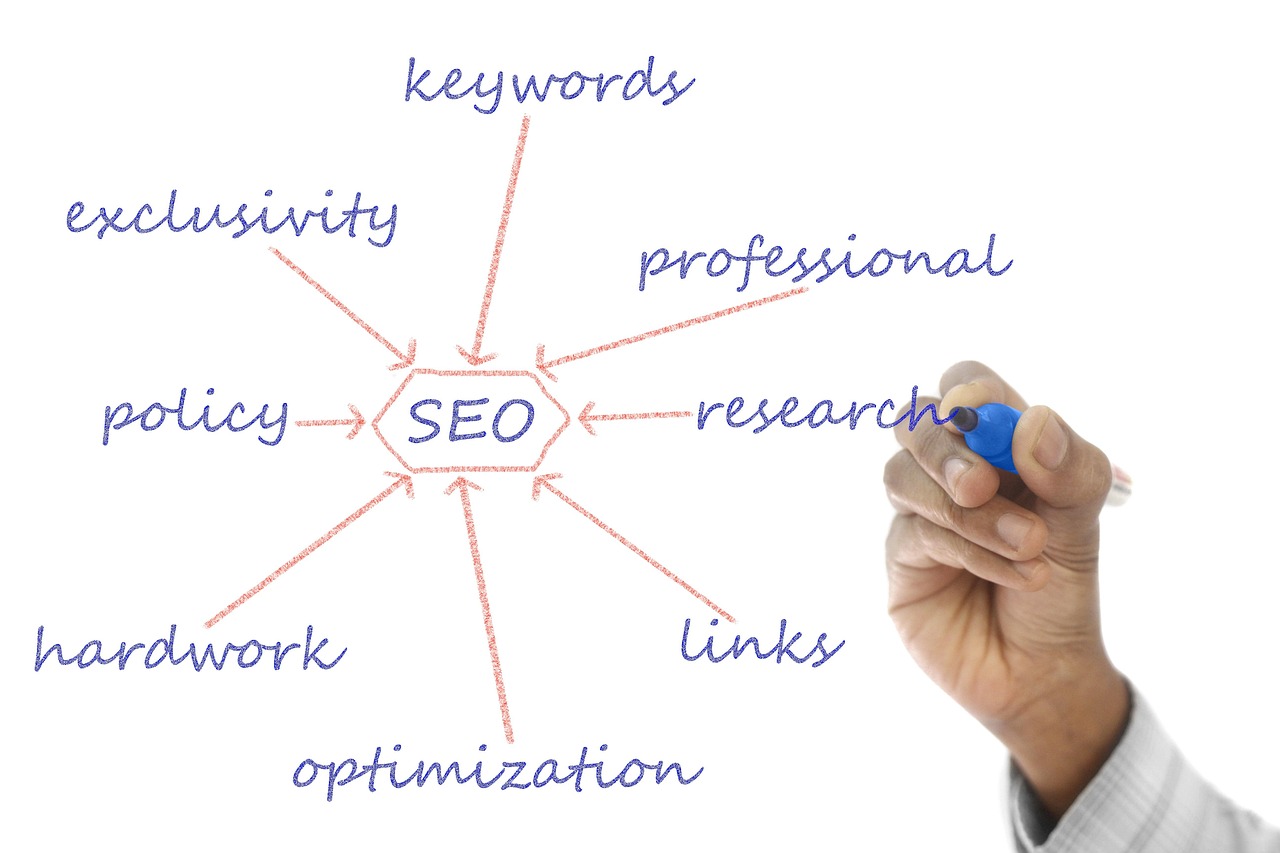
  • AI Content Tools: Accelerating SaaS Marketing Without the Hype

    AI Content Tools: Accelerating SaaS Marketing Without the Hype

    ”’

    Stop Chasing Unicorns: A Realistic Guide to AI Content Tools for SaaS Marketing Teams in 2026

    Everyone is selling the AI dream: a magical black box that spits out perfect blog posts, triples your traffic overnight, and books demos while you sleep. This is a fantasy. For SaaS marketing-tools) teams, AI content tools are not a replacement for strategy, but a powerful accelerant. The best AI content tools for SaaS marketing teams are those that augment human expertise by automating repetitive tasks, optimizing content for search, and providing deep analytical insights. Success comes from integrating these tools into a well-defined workflow, not from expecting them to run on autopilot. This requires a human-led approach focusing on strategy, quality control, and creative direction.

    The Rise of AI in Content Marketing

    AI in marketing isn’t new. We’ve had algorithmic recommendations and programmatic ad buying for years. What is new is the accessibility and power of generative AI. The recent explosion in generative AI adoption, which doubled to 65% between 2023 and 2024, has fundamentally changed the toolset available to SaaS marketers. Over 60% of enterprise SaaS platforms now include some form of embedded AI features, making these capabilities table stakes.

    An AI marketing tool uses artificial intelligence, machine learning, and natural language processing to automate and augment marketing tasks. For a SaaS company, this can range from a simple AI-powered headline generator to a complex platform that manages the entire content lifecycle. The goal isn’t just to create more content faster, but to create smarter content that performs better and drives measurable business outcomes.

    Key Benefits of AI for SaaS Content Teams

    Why bother with this new toolset? Because the pressure on SaaS marketing teams has never been higher. Customer acquisition costs are rising, and an overwhelming 81% of B2B buyers now make their vendor choice before ever talking to a sales representative. Your content has to do the heavy lifting.

    When implemented correctly, AI delivers tangible results. Some studies claim companies report a 42% reduction in CAC after integrating AI into their marketing. The primary benefits fall into three buckets:

    1. Efficiency and Scale: This is the most obvious benefit. AI can draft a blog post, generate social media updates, and create email copy in minutes, not hours. This frees up your team to focus on higher-value strategic work.
    2. Performance and Optimization: AI tools can analyze SERPs, identify keyword gaps, and suggest on-page SEO improvements. They can A/B test headlines and personalize content for different audience segments, leading to higher engagement and conversion rates.
    3. Data-Driven Insights: AI can analyze vast datasets to uncover trends, predict customer behavior, and measure content ROI more accurately than a human ever could. This allows for smarter budget allocation and a more defensible marketing strategy.

    The purpose of AI isn’t to replace your marketing team. It’s to give them superpowers, automating the tedious work so they can focus on the strategic insights that no machine can replicate.

    Building Your SaaS AI Marketing Stack: A Category Breakdown

    An “AI marketing stack” sounds intimidating, but it’s just a collection of tools that work together to achieve your goals. Your stack could be as simple as two or three tools or as complex as a dozen integrated platforms. The key is to choose tools that solve specific problems within your workflow.

    AI for Content Generation & Optimization

    These tools are the most well-known. They use large language models (LLMs) to generate written content. The leaders in this space are platforms like Jasper, Copy.ai, and the API from OpenAI. However, the real power for SaaS teams comes from more specialized platforms. Tools like Rank My Website don’t just generate text; they integrate keyword data and SEO best practices to create content that’s primed to rank. This moves you from a blank page to a nearly-finished, optimized draft.

    AI for SEO and Keyword Research

    Traditional SEO tools are rapidly integrating AI. Ahrefs and Semrush now use AI to cluster keywords, analyze SERP intent, and forecast traffic potential. Platforms like SurferSEO and MarketMuse specialize in AI-driven content optimization, giving you a data-backed score and specific recommendations to improve your on-page SEO before you even publish. This is a critical function for us at Rank My Website, where our automation handles the initial keyword research to inform content strategy.

    AI for Marketing Task Automation and CRM

    This is where AI gets deeply integrated into your go-to-market motion. Platforms like HubSpot and Salesforce use AI to score leads, predict churn, and recommend next best actions for sales reps. For marketing automation, tools like Zapier or Make can use AI actions to create intelligent workflows, such as automatically generating a personalized follow-up email sequence based on a user’s interaction with your content. This bridges the gap between marketing activity and sales outcomes.

    AI for Analytics and Reporting

    How do you prove your content is working? AI-powered analytics tools provide the answer. Google Analytics 4 has predictive audiences built in. Tools like Tableau or Looker use AI to surface insights from your marketing data that you might have missed. They can identify which content formats drive the most pipeline or which channels have the highest ROI, moving beyond simple traffic and engagement metrics to tie content back to revenue.

    How AI Content Tools Are Changing SaaS Marketing Workflows

    Stitching these tools together fundamentally alters the traditional, linear content workflow. The old way was a factory assembly line: Ideate -> Write -> Edit -> Publish -> Promote. The new way is a dynamic, cyclical process.

    1. Strategy & Discovery (Human + AI): Instead of brainstorming topics in a vacuum, you use an AI tool to analyze competitor content and identify high-opportunity, low-competition keywords.
    2. Creation & Augmentation (AI + Human): An AI platform like Rank My Website generates a first draft of an article based on the target keyword and SERP data. Your subject matter expert then reviews, edits, and adds unique insights, examples, and brand voice. This is where we see the most value, providing clients with daily articles that still have a deep layer of human expertise.
    3. Optimization & Pre-flight (AI): An AI optimization tool scores the draft for readability, SEO, and topical completeness, providing specific suggestions for improvement.
    4. Publication & Distribution (Automated): The content is published to your CMS, and AI tools help generate social posts, email newsletters, and other promotional assets.
    5. Analysis & Iteration (AI + Human): An AI analytics platform tracks the content’s performance—not just traffic, but leads generated and pipeline influenced. The insights feed back into the strategy and discovery phase for the next content cycle.

    Choosing the Right AI Content Tool for Your SaaS Team

    A mindmap visualizing factors for choosing AI content tools, branching into features (content types, SEO integration, workflow automation, collaboration), team size and structure, budget, niche and industry fit (target audience, brand voice), and integration needs (CMS, CRM, SEO tools).
    AI Content Tool Selection Factors

    With hundreds of tools on the market, choosing the right one is daunting. The decision comes down to your team’s size, technical niche, and primary goal.

    A startup with a two-person marketing team has very different needs from a 50-person enterprise department. For small teams, an all-in-one platform is often best. For larger teams, a “best-of-breed” approach, integrating specialized tools via APIs, may be more effective.

    Here’s a comparison of how different tool types fit different needs:

    Tool Category Best for… Example Tools Pricing Model
    All-in-One Content Platforms Small/Medium SaaS teams needing a unified workflow. Rank My Website, Jasper, Copy.ai Subscription (per seat/per word)
    Point-Solution SEO Optimizers Teams with existing writers who need data-driven guidance. SurferSEO, MarketMuse Subscription (per article/per user)
    Generative AI APIs Enterprise teams with developer resources to build custom solutions. OpenAI (GPT-4), Anthropic (Claude 3) Usage-based (per token)
    Embedded CRM/MAP AI Sales-aligned B2B teams focused on lead nurture and conversion. HubSpot AI, Salesforce Einstein Add-on to existing platform subscription

    The biggest mistake is buying a tool without a process. An AI tool amplifies your existing workflow. If your workflow is chaotic, AI will just help you create more chaos, faster.

    Assess the trustworthiness of AI-generated content, especially in a technical SaaS niche. An LLM might not know the nuances of your specific API or the regulatory landscape of your industry. This is where human oversight is non-negotiable. It’s why we see success with companies like our client Wolverine Assemblies, who operate in a specific industry but benefit from a content strategy that integrates expert knowledge with automated production.

    Integrating AI Content Tools into Your Existing Workflow

    Adopting a new tool is easy. Getting your team to actually use it effectively is hard. A shocking 74% of companies struggle to achieve real value from their AI initiatives. Success hinges on integration and training, not just technology.

    Start with a pilot project. Choose one part of your workflow—like blog post drafting or SEO optimization—and introduce a single tool. Document the process, train the relevant team members, and measure the results. Don’t try to boil the ocean by replacing your entire stack overnight.

    The most important piece is developing the skills of your human team. Marketers now need to be expert “AI wranglers.” They need to know how to write effective prompts, critically evaluate AI output, and add the strategic and creative layer that machines cannot provide. Your budget for AI tools should be matched with a budget for training and skill development.

    Real-World SaaS Use Cases (and a Word on Ethics)

    AI is not a monolithic entity. Its application varies dramatically across different SaaS marketing functions.

    • For Product-Led Growth (PLG): AI can analyze user behavior within a free trial to identify activation patterns. It can then trigger personalized in-app messages or email sequences to guide users toward “aha!” moments, increasing the trial-to-paid conversion rate.
    • For B2B Demand Generation: AI can build and score lead lists, personalize outreach emails at scale, and even generate case study drafts by summarizing customer interviews and data. This allows a small team to run sophisticated, multi-touch campaigns that were previously only possible for large enterprises.
    • Ethical Considerations: This power comes with responsibility. You must be transparent about when users are interacting with an AI (like a chatbot). You must protect user data and be aware of the inherent biases in AI models. Generating fake reviews, creating intentionally misleading content, or violating privacy are not marketing strategies; they are landmines.

    Ultimately, the technology is a tool. Its ethical use is determined by the human wielding it. As SaaS marketers, we have a responsibility to use these powerful tools to create better, more helpful experiences for our customers, not just to create more noise.

    Ready to move beyond the chaos? Rank My Website automates the entire top-of-funnel content process—from keyword research to publishing optimized daily articles—so you can focus on strategy and growth. See how we build content engines.

    FAQ

    What are the best AI content tools for a small SaaS startup?

    For a small startup, the best tools are typically all-in-one platforms that combine content generation, SEO optimization, and publishing. Look for a solution like Rank My Website, Jasper, or Copy.ai that offers a unified workflow. This minimizes the need to subscribe to and learn multiple, separate tools, making it more cost-effective and efficient for a small team.

    How can a SaaS company measure the ROI of AI content tools?

    Measure ROI by tracking metrics beyond simple traffic. Connect your content to business outcomes. Key metrics include: Cost per Lead (CPL) and Customer Acquisition Cost (CAC) for content-generated leads, pipeline value influenced by marketing content, and conversion rates on pages with AI-personalized elements. Compare these to your pre-AI baseline to quantify the impact.

    Can AI replace my SaaS marketing team?

    No. AI is an augmentation tool, not a replacement. It excels at data processing and repetitive tasks, but it cannot replicate human creativity, strategic thinking, industry expertise, or brand understanding. The most effective teams use AI to handle the 80% of grunt work, freeing up humans to focus on the 20% of high-value strategic work that drives real growth.

    How important is human editing for AI-generated content?

    It is absolutely critical, especially in SaaS. AI models are generalists and often lack the specific, nuanced knowledge of a technical product or a niche audience. A human expert must review every piece of AI-generated content for accuracy, tone, brand voice, and unique insights. Skipping this step is a recipe for creating generic, untrustworthy content that can damage your brand’s credibility.

    What is an AI marketing stack?

    An AI marketing stack is the collection of different AI-powered tools a marketing team uses to execute their strategy. Instead of a single platform, it’s often a combination of tools for different functions, such as an AI writer for content creation, an SEO tool for optimization, a CRM with AI for lead scoring, and an analytics platform for reporting. These tools are often integrated to share data and automate workflows. ”’